In this article, we will talk about the Latest NVIDIA Driver 595.71 which Causes Performance Issues in Windows 11 and How to Fix it.
A few days ago, NVIDIA has released the latest Game Ready and Studio Driver, Version 595.71 and this new Game Ready Driver provides the best gaming experience for the latest new games supporting DLSS 4 technology including Resident Evil Requiem. In addition, there is Game Ready support for Marathon which features DLSS Super Resolution and NVIDIA Reflex.
Fixed Gaming Bugs
- The Ascent: Intermittent black bar on top of screen on GeForce RTX 50 Series GPUs [5859818]
- Total War: THREE KINGDOMS: Green artifacts appear on GeForce RTX 50 series [5745647]
- FINAL FANTASY XII The Zodiac Age crashes with fatal error after driver update [5741199]
- Call of Duty Modern Warfare (2019) displays image corruption after driver update [5733427]
- Quantum Break: Performance drops significantly on Act 4 Part 1 [5607678]
Fixed General Bugs
- 595.59: HW monitoring utilities not detecting all fans on the GPU [5934264]
- 595.59: One or more fans not spinning on GPUs after driver update [5934333]
- Blackmagic Design: AV1 decode crash with multiple obu in one packet [5671098]
Check more info about the Driver on the NVIDIA Website.
Also a Reddit Thread about this Driver has been made, and a lot of users are complaining about the Performance Issues, Voltage Caps and ruined Boost Clocks.
You can also see some in-depth test being done by videocardz.com where they show the fact that Performance can be up to 3 times worse than what it should be.
How to Fix
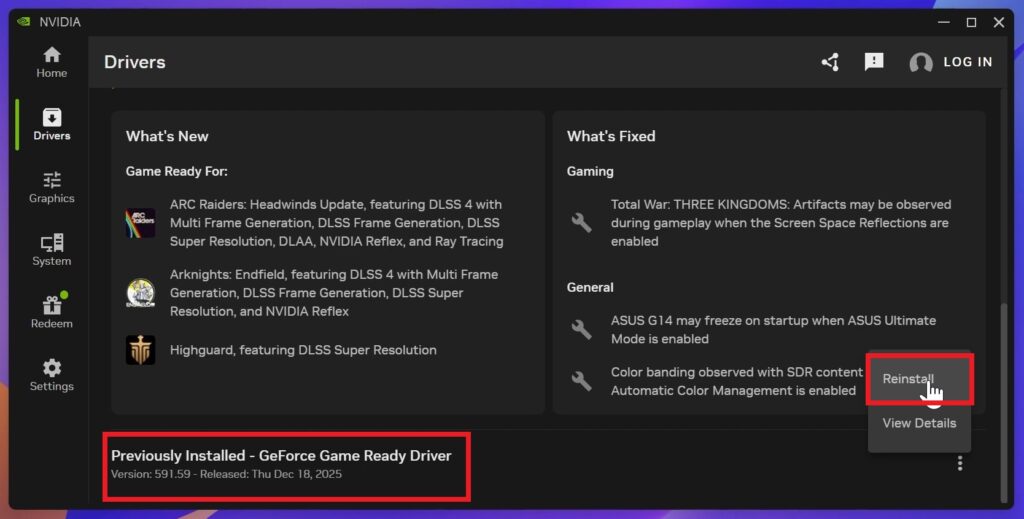
Make sure you open the NVIDIA App, go to the Drivers Section and check the Driver Version that you have.
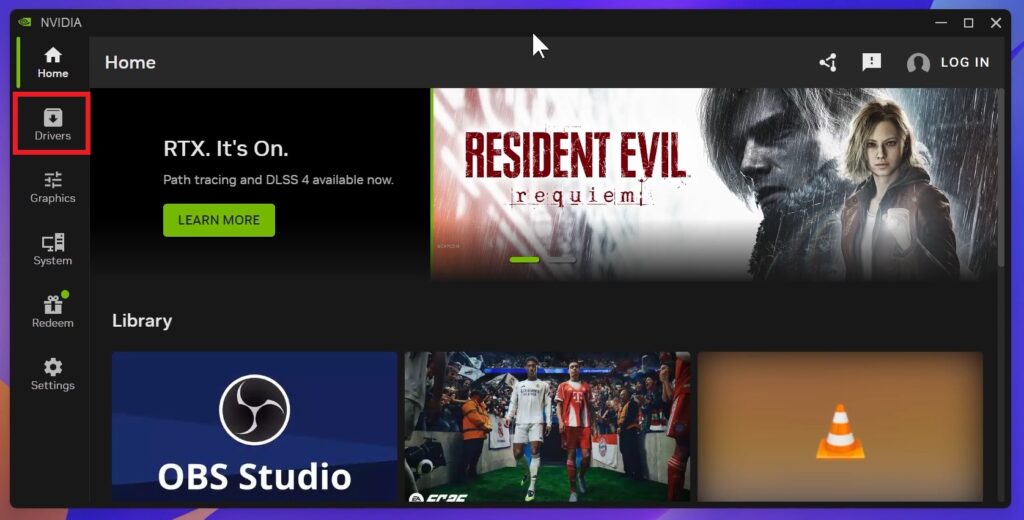
If you have the 595.71 Version, go at the bottom, click on the 3 dots and Reinstall, to roll back to the previously installed Driver.
For a more in-depth tutorial, you can watch the video below from the youtube channel.
 9
9
 20
20