
In this article, we will talk about how to Debloat Windows 11 25H2 with a Simple Method.
In this article, we will talk about how to use the Chris Titus Tech Tool to Debloat Windows 11 25H2.
To run the Tool, simply open Powershell as Admin and then run the following command:
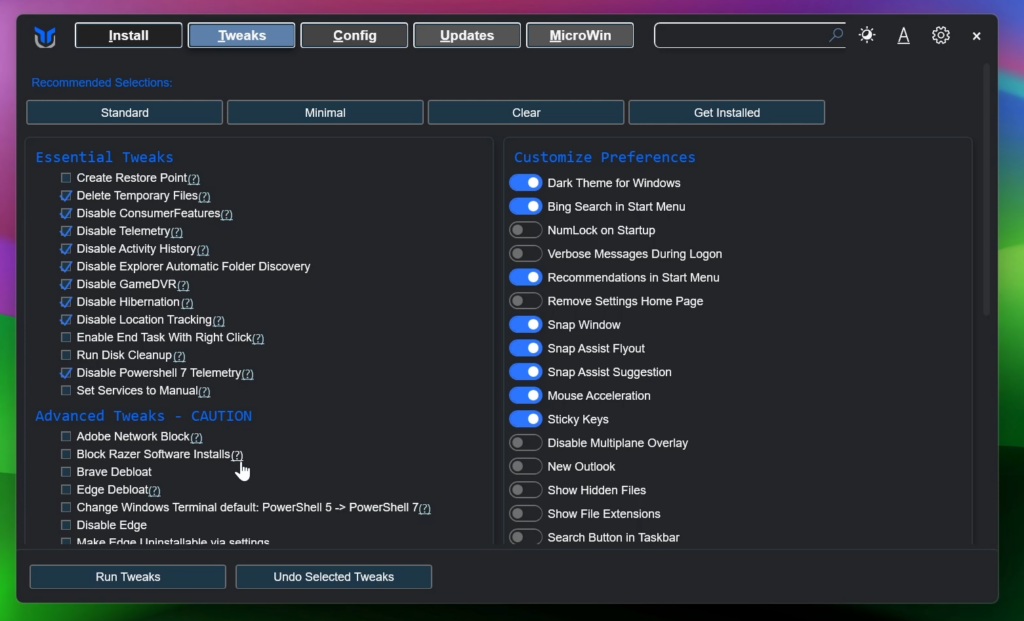
irm "https://christitus.com/win" | iexFrom the Tweaks Section, inside Essential Tweaks, these are the options that I would normally check.
Inside Advanced Tweaks these are the options to disable if you want to keep it very safe.
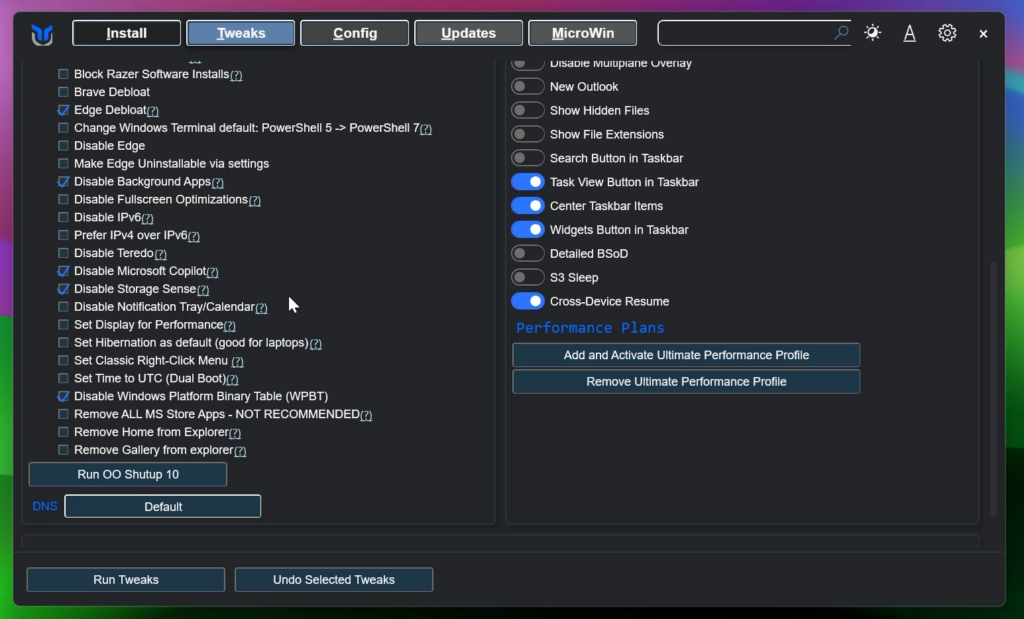
After you select your options, simply click on Run Tweaks, wait until you see the confirmation check and then restart your computer for the changes to take effect.
For a more in-depth tutorial, you can watch the video below from the youtube channel.
Share the article:
 9
9
 20
20

