
In this article, we will talk about a New Taskbar Alternative for Windows 11 25H2 and How to Enable it.
We all know the announcements that Microsoft made related to the New Windows 11 Improvements and the New Taskbar, but until that gets released, we can try out a New Taskbar Alternative from PowerToys, which is the Docked Version of the Command Palette Tool.
Install PowerToys
To install Microsoft PowerToys, you need to open the Microsoft Store, search for powertoys and install it from Microsoft Store.
Enable New Docked Command Palette
Make sure you open PowerToys, click on the Command Palette Option and then in the bottom left, click on Settings.
Then click on Dock (Preview) and enable it from the right.
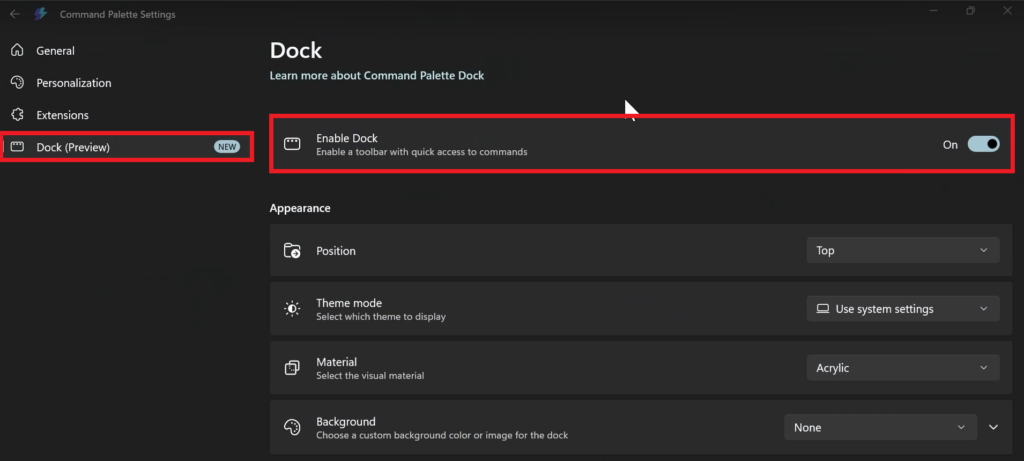
You have multiple customization options, such as Position, Theme Mode, Material and Background so that you customize it to your liking.
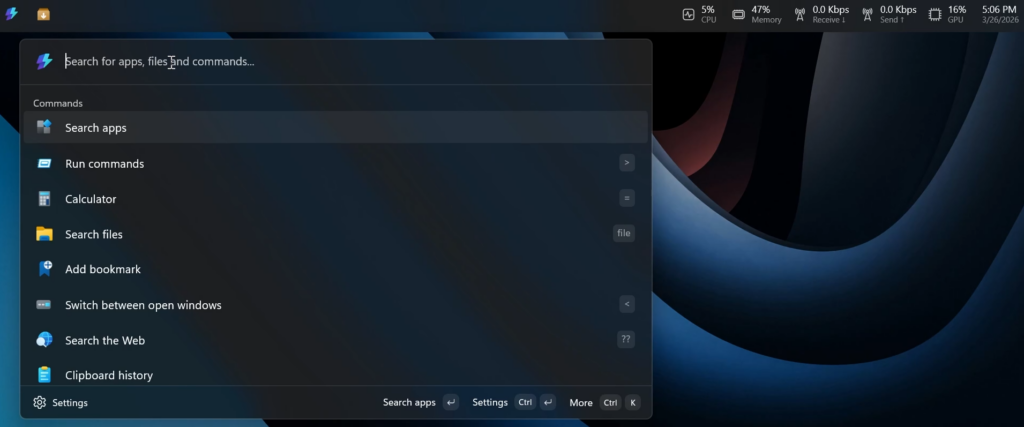
With this New Docked Command Pallete you will be able to see details related to your resource consumption and have access to the detailed search it provides.
The Search Function is very fast and you can use it to search for apps, files and commands.
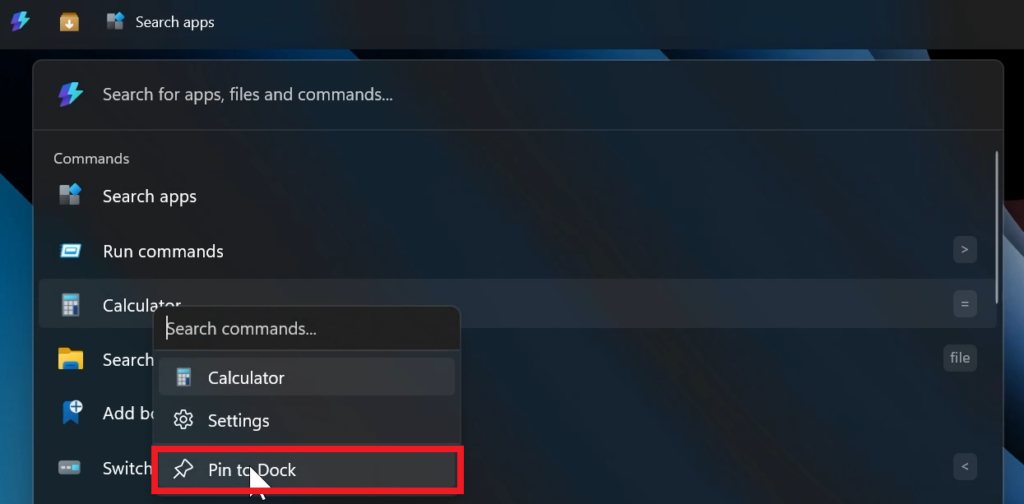
Additionally, you can pin certain apps and commands to the dock, by right-clicking on them and clicking on Pin to Dock.
You can also customize the Command Packages and install even more if you want.
For a more in-depth tutorial, you can watch the video below from the youtube channel.
 9
9
 20
20

