
In this article, we will talk about a New Windows 11 25H2 Emergency Update, that Microsoft released to apply some Fixes for Known Issues.
This out-of-band update for Windows 11, version 25H2 and 24H2 (KB5077744) is cumulative. It includes updates from previous security and non-security releases, along with an additional fix. To learn more about differences between security updates, optional non-security preview updates, out-of-band (OOB) updates, and continuous innovation, see Windows monthly updates explained. For information on Windows update terminology, see the different types of Windows software updates.
To view the latest updates about this release, visit the Windows release health dashboard or the update history page for Windows 11, version 25H2 and 24H2.
New Improvements in this Update
This OOB update includes quality improvements. This update is cumulative and includes security fixes and improvements from the January 13, 2026, security update (KB5074109) in addition to the following:
- [Remote Desktop] Fixed: After installing the January 2026 Windows security update (KB5074109), some users experienced sign-in failures during Remote Desktop connections. This issue affected authentication steps for different Remote Desktop applications on Windows such as the Windows App.
How to Install this Update
This Emergency Update won’t be available through the Windows Update Service inside the Settings App and you will need to manually install it, if you want to have it.
First of all, go to the Microsoft Update Catalog and search for 26200.7627. Make sure you click on Download next to the x64 Version.
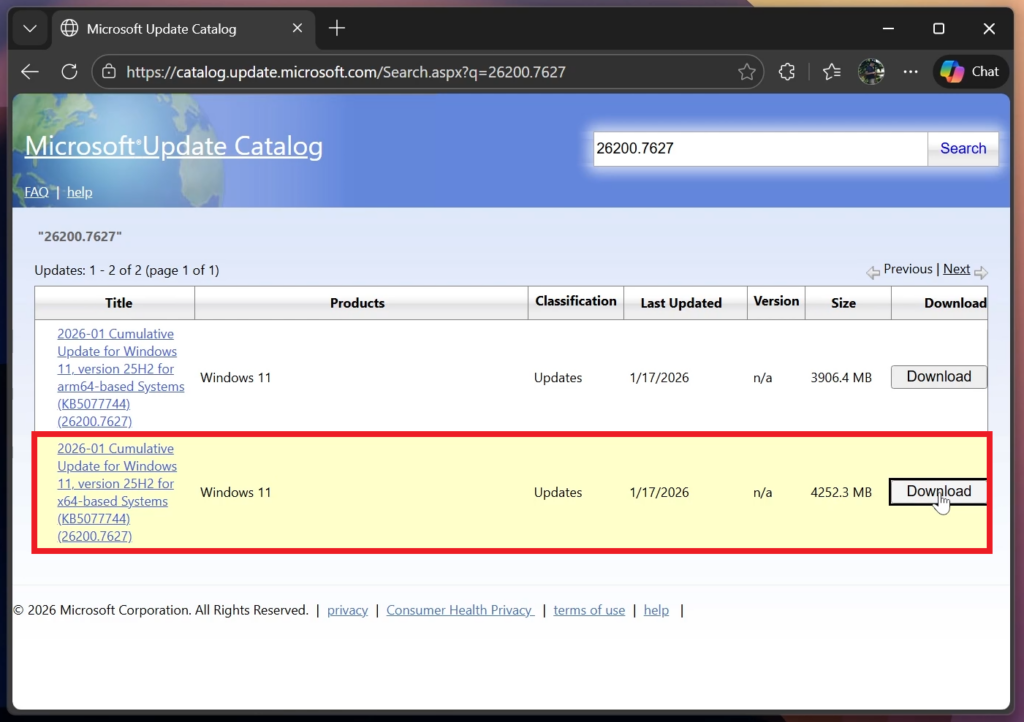
Next up, make sure you click on the right link, which should include the Build Code KB5077744.
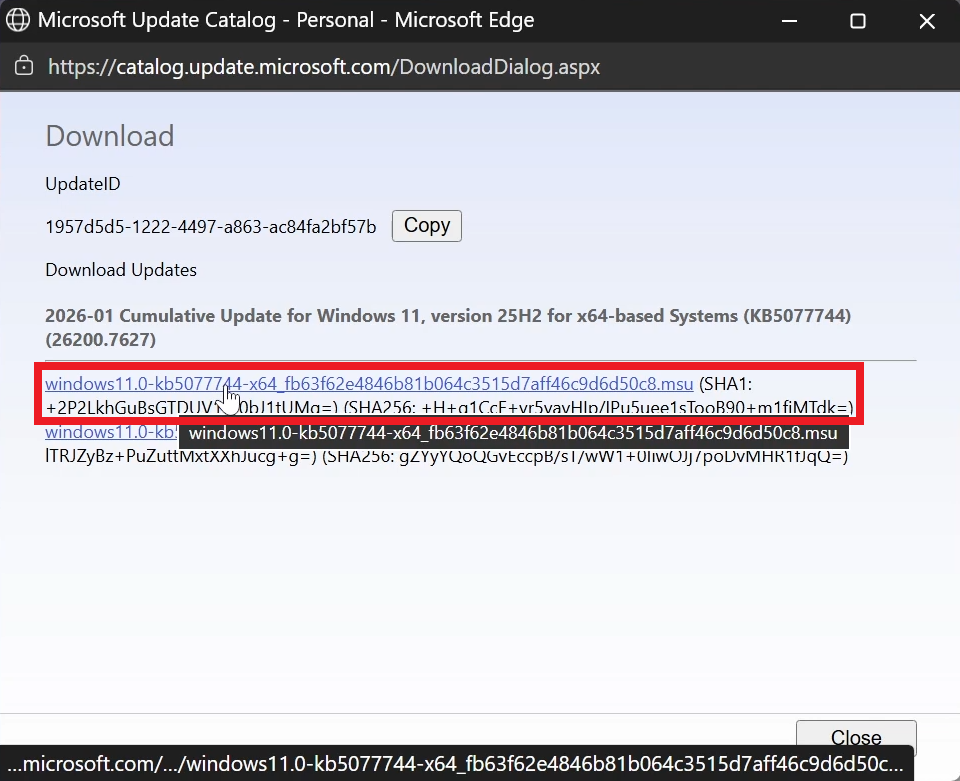
After you download the Update, follow the process to install it and you will be updated (For in-depth steps, check the video below from the youtube channel)
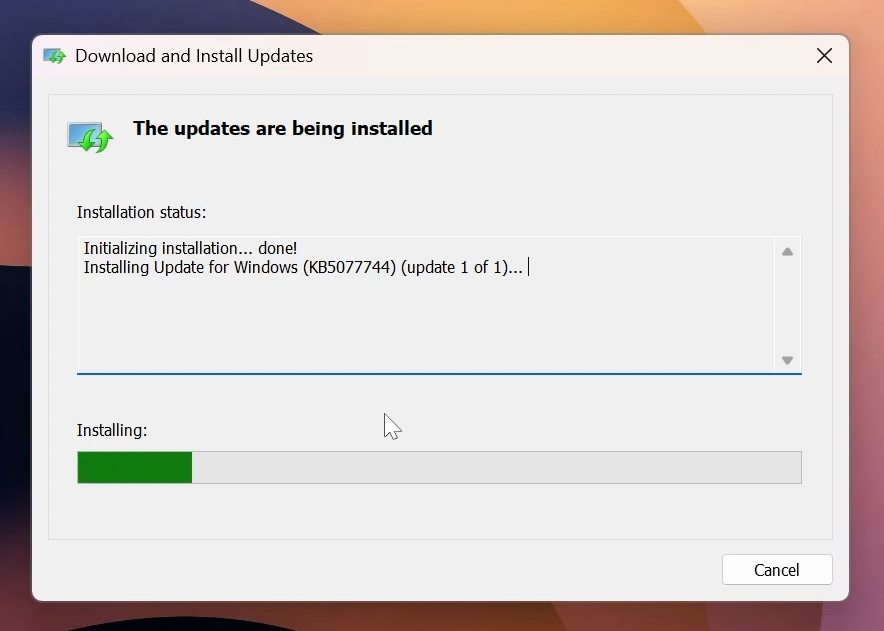
For more info about this Update, you can check this article from the Microsoft Blog.
For a more in-depth presentation of the New Update, you can watch the video below from the YouTube channel.
 9
9
 20
20

