
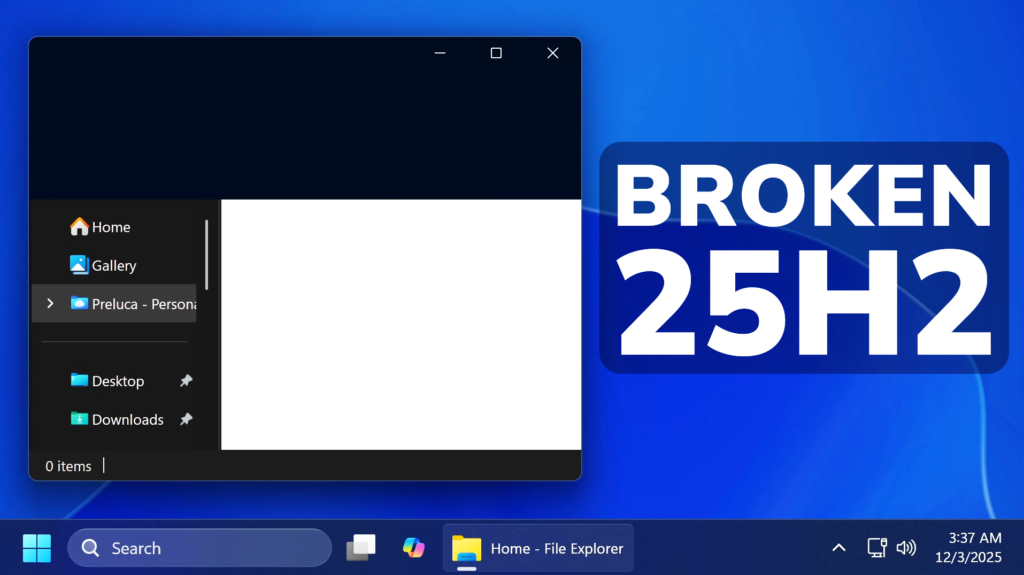
In this article, we will talk about the latest Windows 11 25H2 Update (KB5070311) which Breaks the File Explorer and Lock Screen.
Microsoft has released the last Feature Update which are Builds 26200.7309 and 26100.7309 or KB5070311 for both Windows 11 25H2 and 24H2 on the 1st of December, which was actually a week later than what is was supposed to be released.
This Update adds a lot of New Features in the OS, but users have mostly focused on the New Known Issues, which are quite big.
Broken File Explorer
After installing KB5070311, you might experience issues when opening File Explorer in dark mode. The window might briefly display a blank white screen before loading files and folders. This can also occur when you:
- Navigate to or from Home or Gallery (including launching to Home)
- Create a new tab
- Turn the Details pane on or off
- Select More details while copying files
Hopefully this will be fixed in the next Update, which is the Patch Tuesday Update.
Broken Lock Screen
After installing the August 2025 non-security preview update (KB5064081) or later updates, you might notice that the password icon is not visible in the sign-in options on the lock screen. If you hover over the space where the icon should appear, you’ll see that the password button is still available. Select this placeholder to open the password text box and enter your password. After entering your password, you can sign in normally.
For more information about this Update, you can check this article.
For a more in-depth presentation of these Issues, you can watch the video below from the youtube channel.
 9
9
 20
20

