
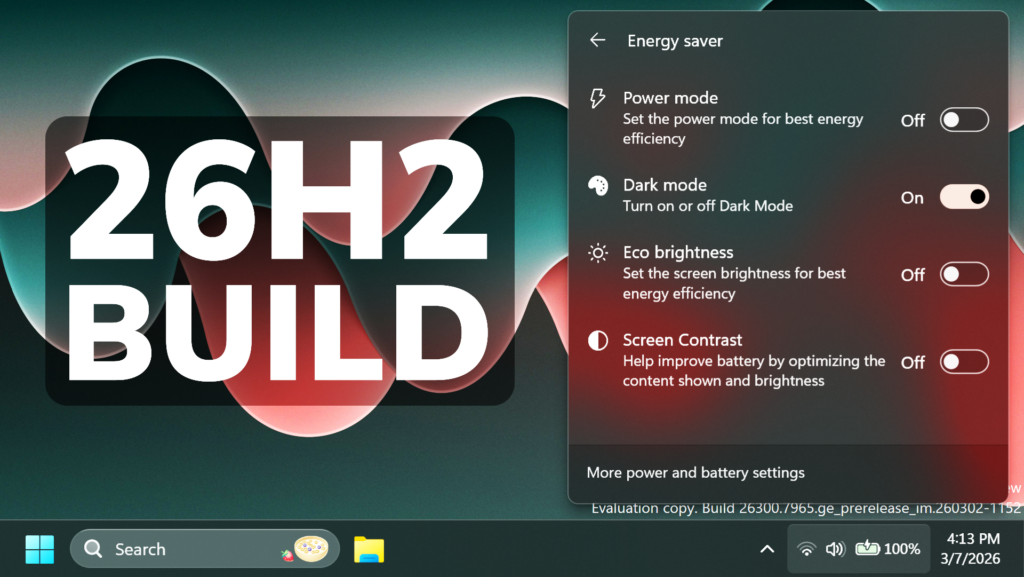
In this article, we will talk about the latest Preview Build for Windows 11 26H2 in the Dev Channel, which is the Build 26300.7965.
Starting recently, the Dev Channel is jumping ahead to receive 26300 series builds. This means that the window to switch from the Dev Channel to the Beta Channel is closed once Build 26300.7674 is installed. If you are in the Dev Channel today and still want to switch to the Beta Channel at the last minute, when Build 26300.7674 is offered you can pause updates in Windows Update and switch your channel to the Beta Channel and un-pause updates.
These 26300 series builds will contain many of the same features and improvements as the 26220 series builds that will continue to be released in the Beta Channel. Over time, we will be making behind-the-scenes platform changes in each build so they may have different known issues because of those changes.
New Features in this Build
New Administrator Protection
Administrator protection is being re-enabled and aims to protect free floating admin rights for administrator users, allowing them to still perform all admin functions with just-in-time admin privileges. This feature is OFF by default and can be enabled via OMA-URI in Intune or via group policy.
New Drag Tray
Microsoft is making some refinements to drag tray, using a smaller peek view to reduce accidental invocation and make it easier to dismiss when interacting near the top of the screen.
New File Explorer Feature
You can now use voice typing (Windows key plus H) when renaming files in File Explorer.
New Quick Settings Features
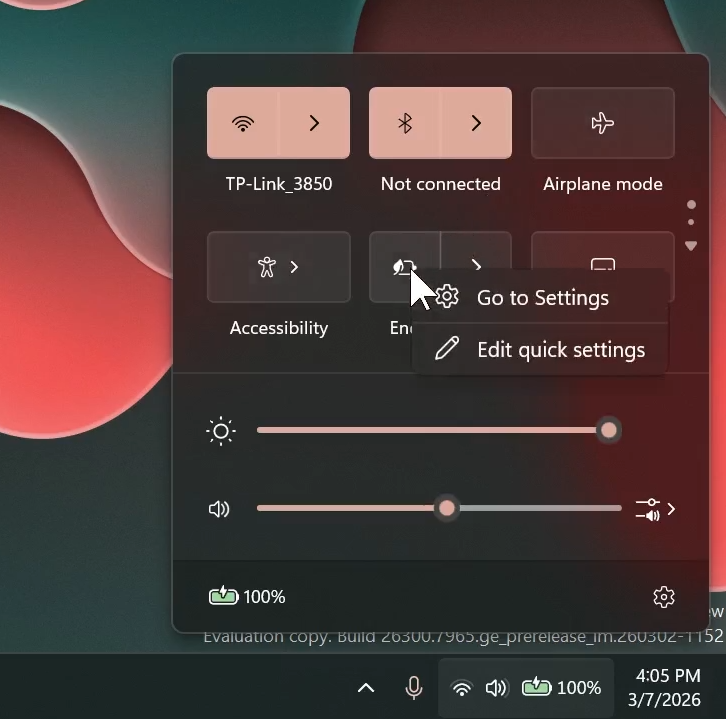
Microsoft is trying to bring back the options to remove/move certain Settings from the Quick Settings Menu as discovered by PhantomOfEarth.
This only works now for the Energy Saver Option. You can right-click on it and then click on Edit quick settings.
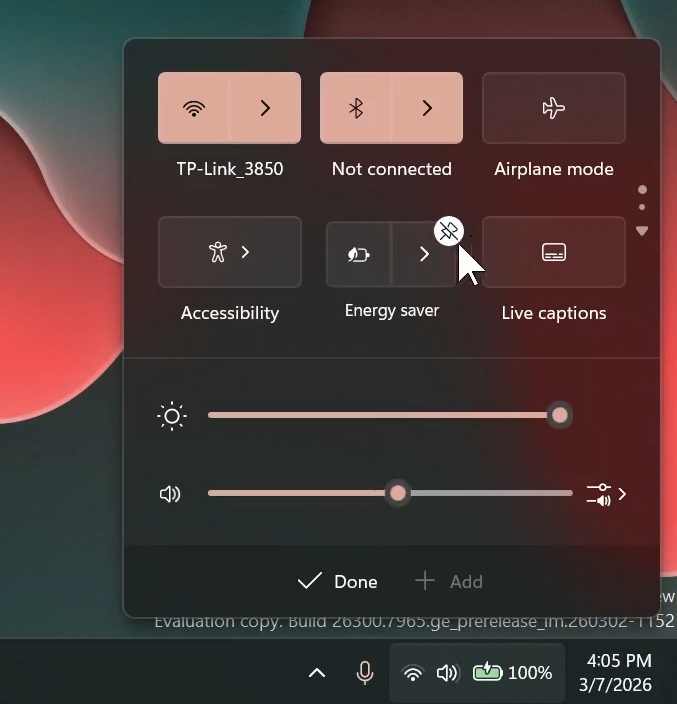
You can then click on the Pin/Unpin Button and then click on Done.
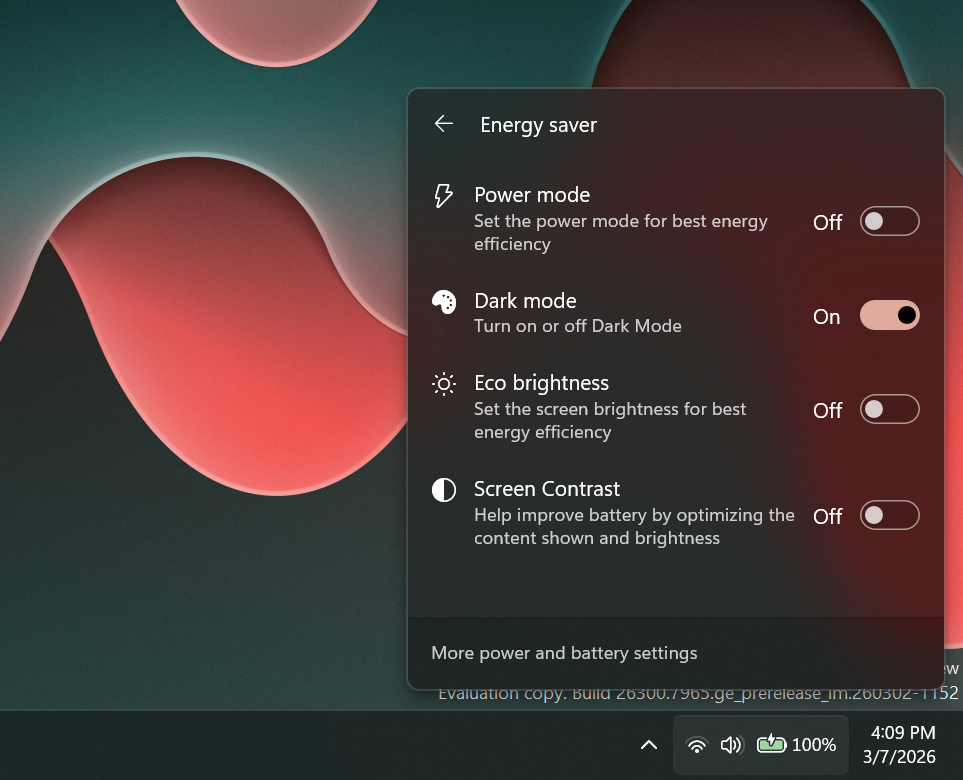
There is also a New Energy Saver Section, that allows you to enable/disable certain Quick Settings related to Energy Saver.
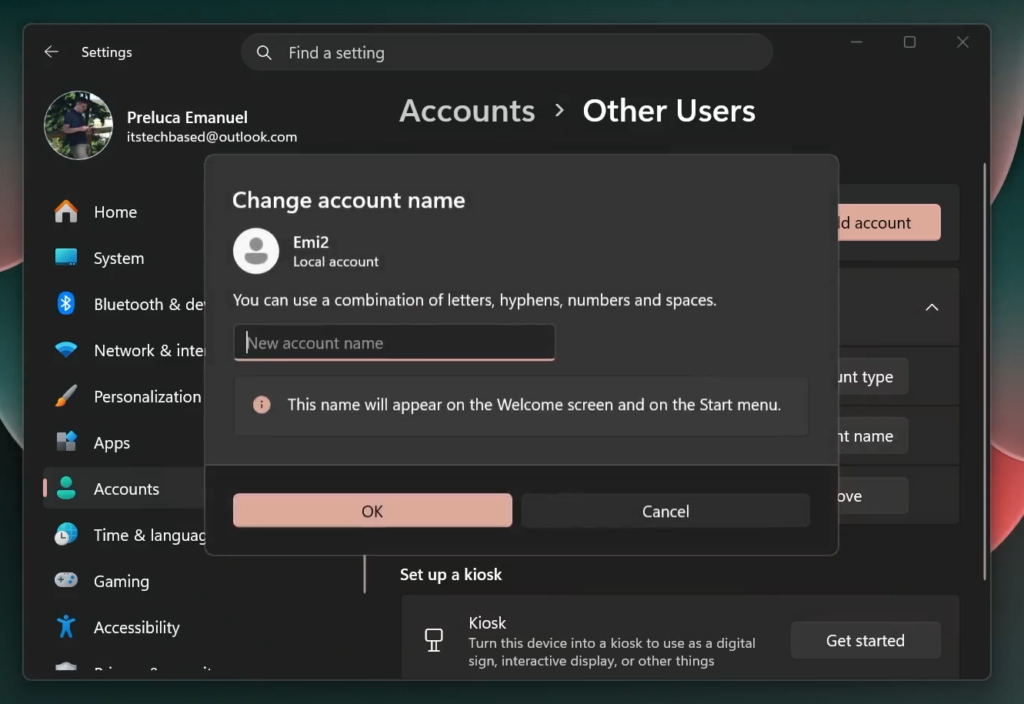
New Change Account Name Dialog
Microsoft is also bringing back the New Dialog for when you want to Change the Account Name from the Settings App.
Fixes in this Build
File Explorer
- Removed white flash when launching new File Explorer windows or tabs when File Explorer was set to open to This PC. Also removed white flashes when resizing elements of File Explorer.
- Improved reliability of unblocking files downloaded from the internet in order to preview them in File Explorer.
For more information about this Build, you can check this article from the Microsoft Blog.
For a more in-depth presentation of the New Build, you can watch the video below from the youtube channel.
 9
9
 20
20

