

In this article, we will talk about the latest Preview Build for Windows 11 26H2 in the Dev Channel, which is the Build 26300.8068.
Starting recently, the Dev Channel is jumping ahead to receive 26300 series builds. This means that the window to switch from the Dev Channel to the Beta Channel is closed once Build 26300.7674 is installed. If you are in the Dev Channel today and still want to switch to the Beta Channel at the last minute, when Build 26300.7674 is offered you can pause updates in Windows Update and switch your channel to the Beta Channel and un-pause updates.
These 26300 series builds will contain many of the same features and improvements as the 26220 series builds that will continue to be released in the Beta Channel. Over time, we will be making behind-the-scenes platform changes in each build so they may have different known issues because of those changes.
New Features in this Build
New Debloat Feature
- Microsoft have updated the “Remove Default Microsoft Store packages” policy for Windows ENT/EDU to include a dynamic app removal list. IT administrators can now remove MSIX/APPX apps by adding their app package family name (PFNs) to a dynamic list.
- To access the policy in Group Policy settings, open the local Group Policy Editor (gedit.msc) and navigate to Computer Configuration > Administrative Templates > Windows Components > App Package Deployment > Remove Default Microsoft Store packages from the system.
- To remove an app via the dynamic list, add its app family package name to the multi-text list under “Specify additional package family names to remove.”
- To find app family package names, run the Get-AppxPackage command in a terminal. For example, here’s a command to get the package family name for Notepad.
- Get-AppxPackage *Notepad* | Select-Object PackageFamilyName
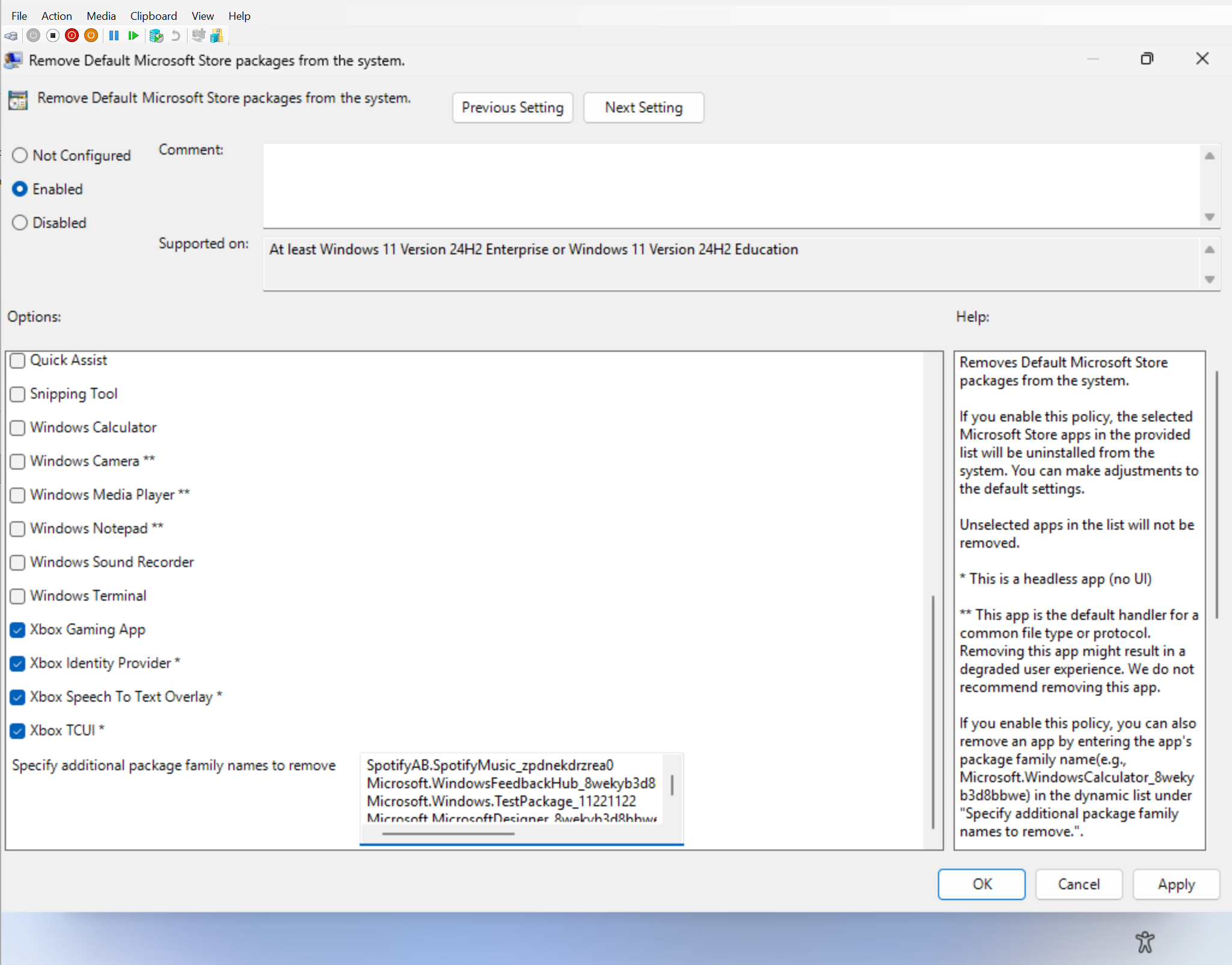
- The dynamic list is currently unavailable in the corresponding Intune CSP. When this feature becomes generally available, you can search for Remove Default Microsoft Store packages settings in the Settings picker.
- Known Limitation – OMA-URI and Multi-Entry Validation: OMA-URI cannot be used to validate multi-entry ADMX multi-Text policies; therefore, validation for the dynamic list must be done via Settings Catalog in Intune or Group Policy. Given that the Intune setting is not yet available in WIP, you will need to test using Group Policy.
- For information on the generally available policy, visit Policy-based in-box app removal.
New Setup Option to Rename User Folder
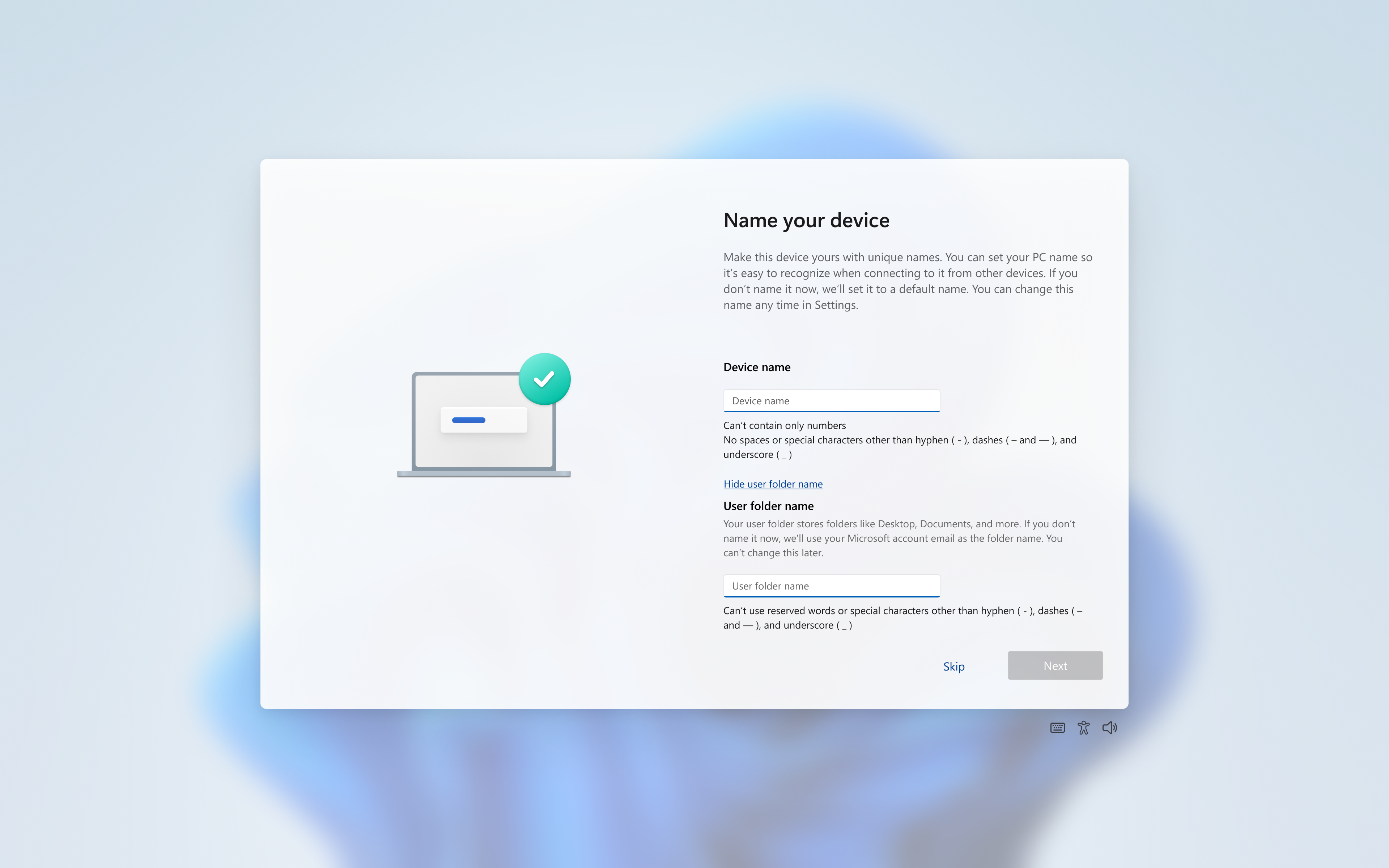
You can now choose a custom name for your user folder on the Device Name page when going through Windows setup. This most recent update now makes it easier to choose a custom name. The naming option is available during setup only. If you skip this step, Windows will use the default folder name and continue setup as usual.
Note: User folder names must follow standard Windows naming requirements.
New Windows Driver Policy Update
- The Windows kernel has historically allowed 3rd party kernel drivers from the now- deprecated cross-signed root program and the Windows Hardware Compatibility Program (WHCP). The WHCP program is a major step up in security compared to the cross-signed driver program, requiring driver compatibility testing, identity vetting and verification and virus scanning.
- Starting with this update, the Windows kernel will enforce a new policy removing default trust for cross-signed drivers. The policy allows 3rd party drivers from the WHCP program by default, with an allow list of trustworthy publishers and drivers from the cross-signing program.
- The feature is enabled in audit mode for a minimum of 100 hours and 3 reboots. If Windows determines that the drivers loaded during this time are compatible with the new policy, the feature is enabled. Otherwise, the system stays in audit mode.
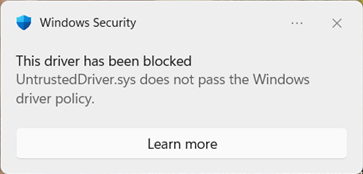
- After enablement, while unlikely, some users running in enforcement mode may see cross-signed drivers blocked:
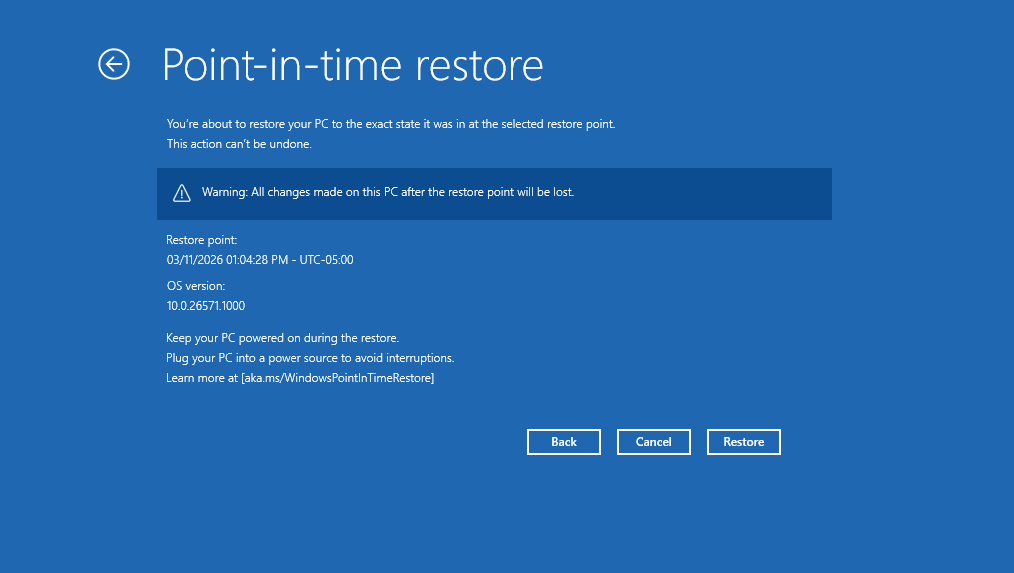
New Point-in-time Restore Changes
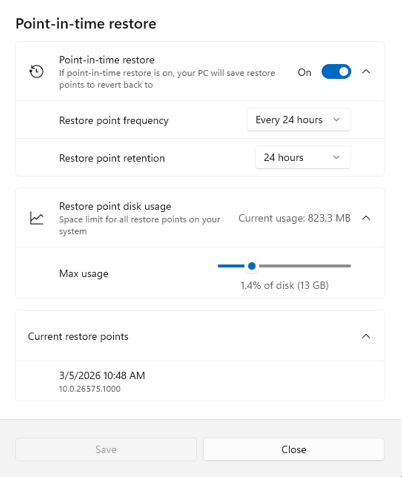
- When you launch point-in-time restore, local admins will see a settings dialog (behind a User Account Control (UAC) prompt) where they can view or change the default restore settings.
- This experience also now shows a list of restore points available on the device.
Updated messaging in the WinRE restore experience:
- Added a recommendation to plug your device into a power source during the restore.
- The OS version number is now shown in a 4-part format (instead of 2-part).
New Account Settings
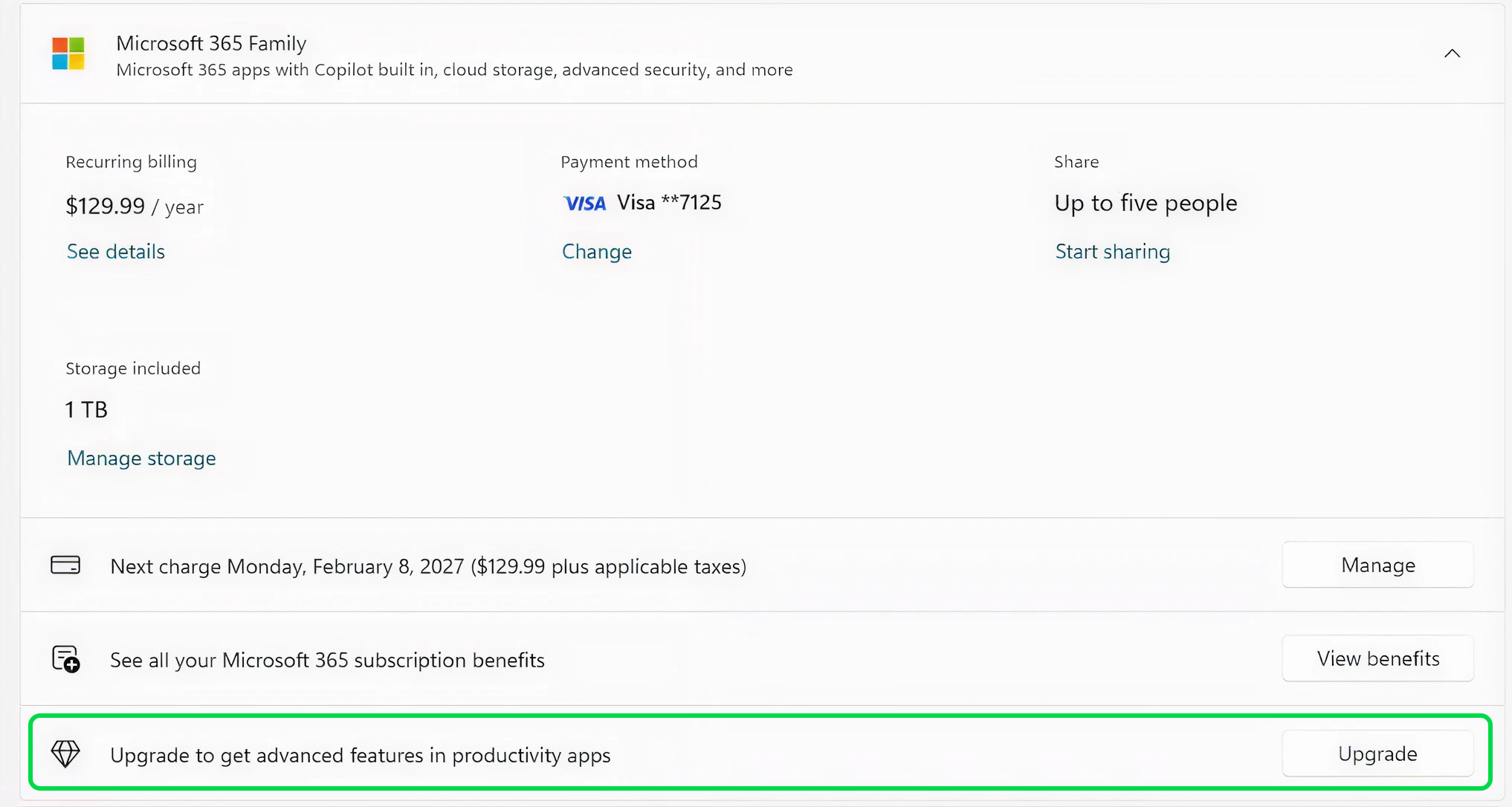
Microsoft 365 Family subscribers will find an option to upgrade to a different 365 plan on the Accounts page within the Settings app. You can also remove the upgrade option by turning off suggested content in settings.
New Drop Tray
Drag Tray has been now renamed to Drop Tray. We’re also moving the corresponding settings for Drop Tray from Nearby Sharing to now be under System > Multitasking.
New Input Change
Microsoft have made refinements to the Pen settings page including small changes to the options for the pen tail button. A new option, “Same as Copilot key”, enables the pen tail button to launch the same app as the Copilot key.
New File Explorer Change
Microsoft is stopping the rollout of refinements to the context menu to work on some further improvements. We will bring this back in a future release.
Fixes in this Build
- Improved reliability of setting and using preferred display language.
- Removed extraneous unexpected error from sfc/scannow.
For more information about this Build, you can check this article from the Microsoft Blog.
For a more in-depth presentation of the New Build, you can watch the video below from the youtube channel.
 9
9
 20
20

