
In this article, we will talk about some other Issues that have been reported related to the Windows 11 25H2 January 2026 Update, which can also cause Boot Failures.
The Windows 11 25H2 January 2026 Update has caused Major Issues for a lot of Users and Microsoft had to released 2 Out of Band Updates to Fix some of these Issues.
Unfortunately, there are also limited reports that this Update can also cause Boot Failures.
This is the Official Microsoft Report that states affected platforms include Windows 11 25H2 and 24H2:
Microsoft has received a limited number of reports of an issue in which devices are failing to boot with stop code “UNMOUNTABLE_BOOT_VOLUME”, after installing the January 2026 Windows security update (KB5074109), released January 13, 2026, and later updates. Affected devices show a black screen with the message “Your device ran into a problem and needs a restart. You can restart.” At this stage, the device cannot complete startup and requires manual recovery steps.
Reports received so far indicate that this issue is limited to physical devices only; no customers have reported observing these symptoms on virtual machines.
As explained by Security Trybe on Twitter, this can be caused by systems using certain SSD firmware versions, RAID modes, legacy drivers, or encryption setups.
How to Fix this Issue
The only Fix available right now is to Uninstall the January Update, but as we can’t access the System, we will need to enter into Recovery Mode. Make sure to start and force shutdown the computer multiple times, so that you boot into the Recovery Mode.
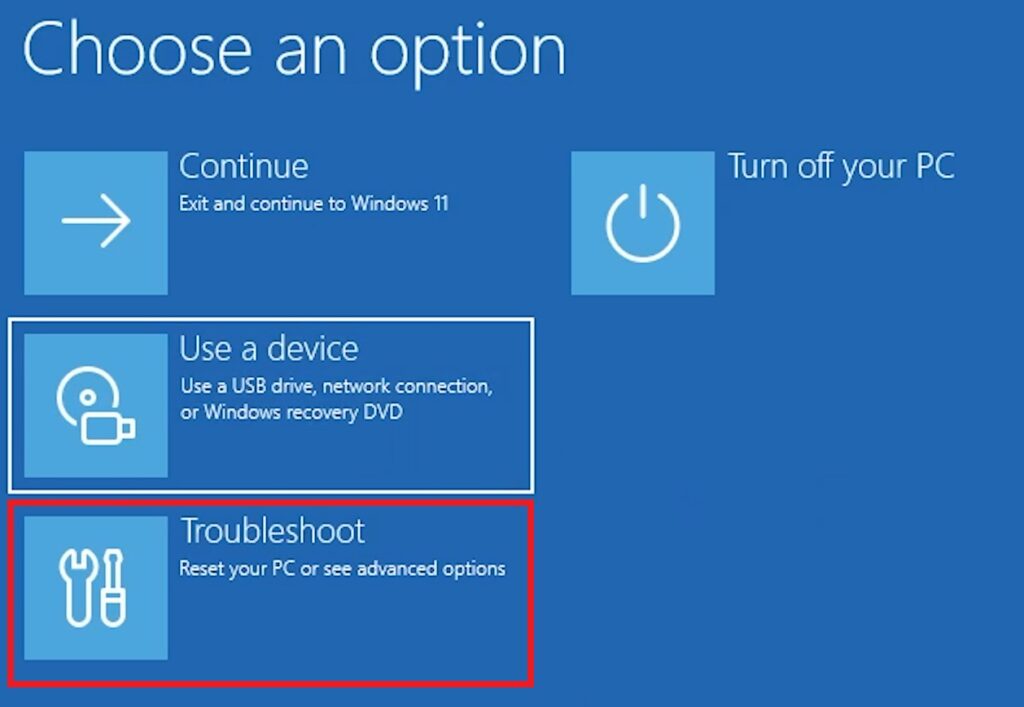
Once you’re in Recovery Mode, make sure you click on Troubleshoot.
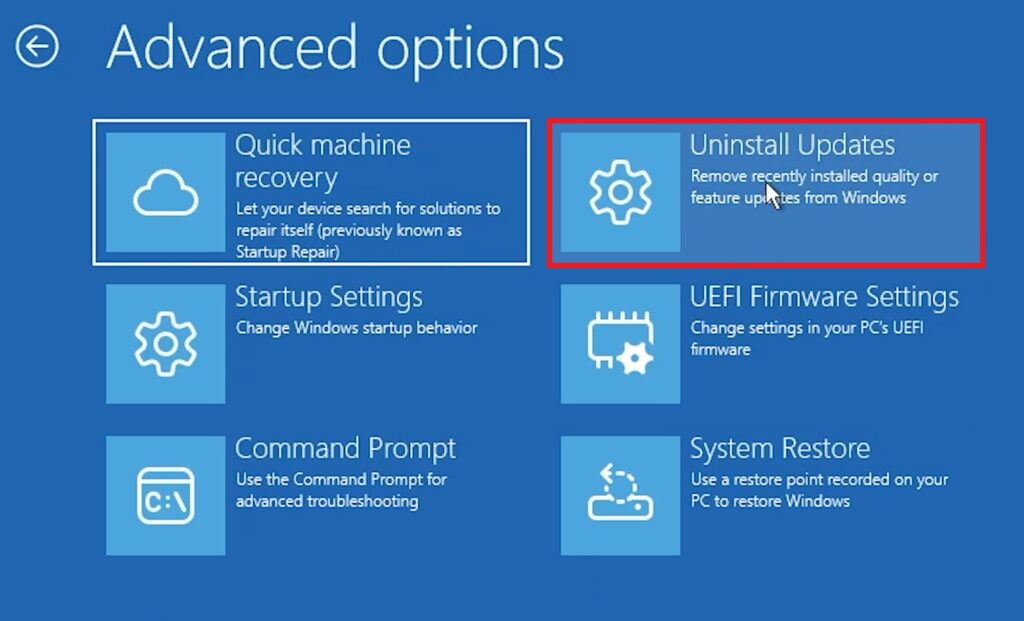
Next up, click on Uninstall Updates.
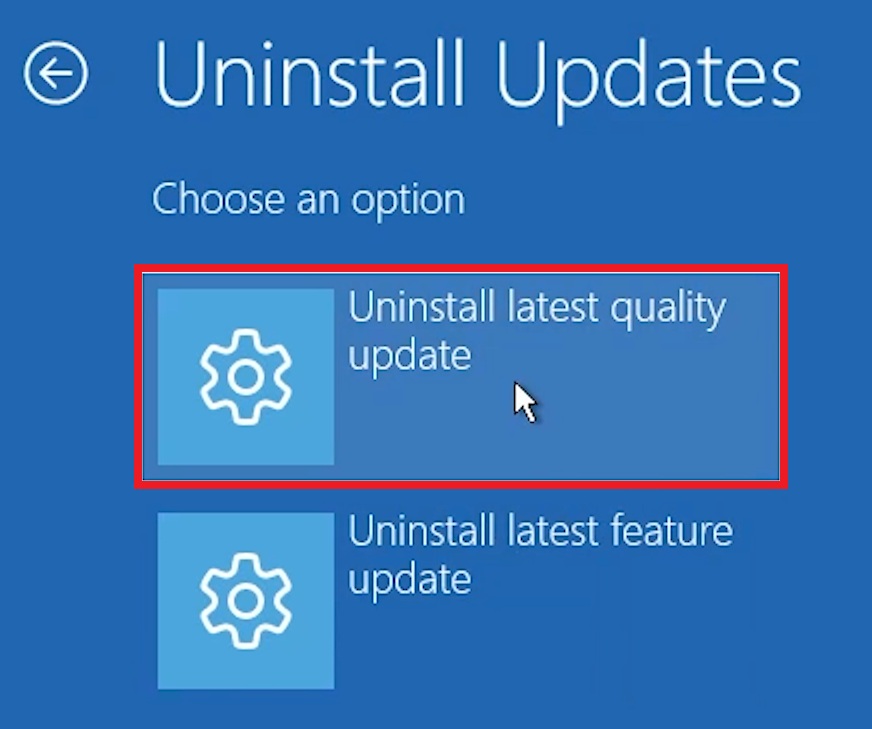
Then, you will need to click on Uninstall latest quality update.
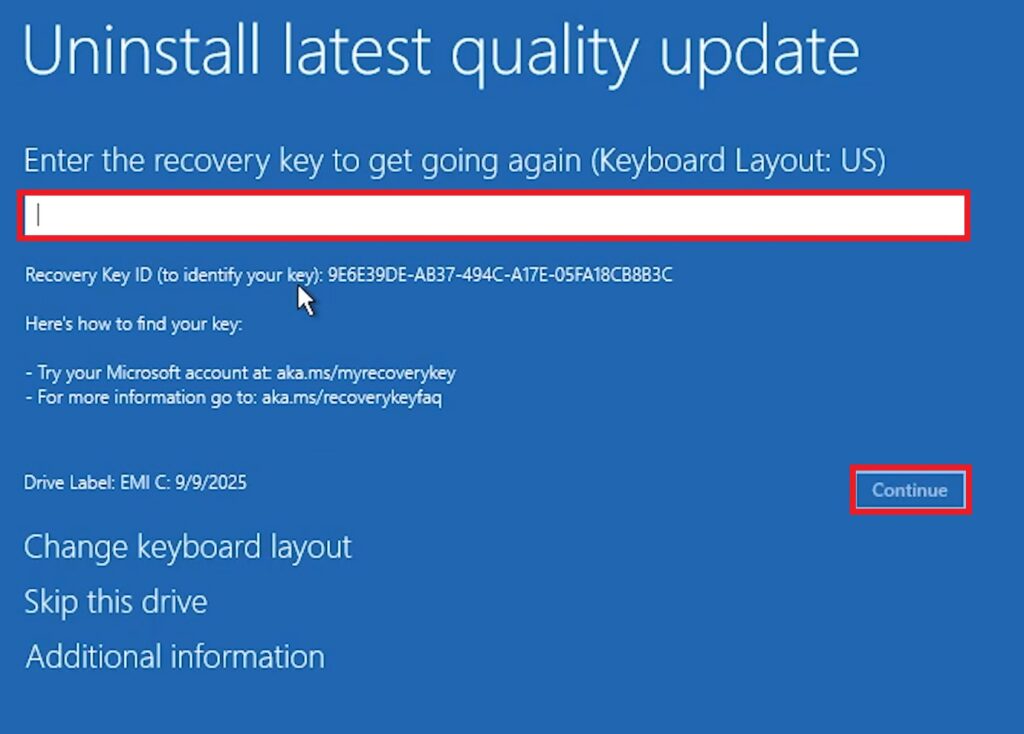
If you have BitLocker enabled, you will need to enter the key, or just click on Skip this drive.
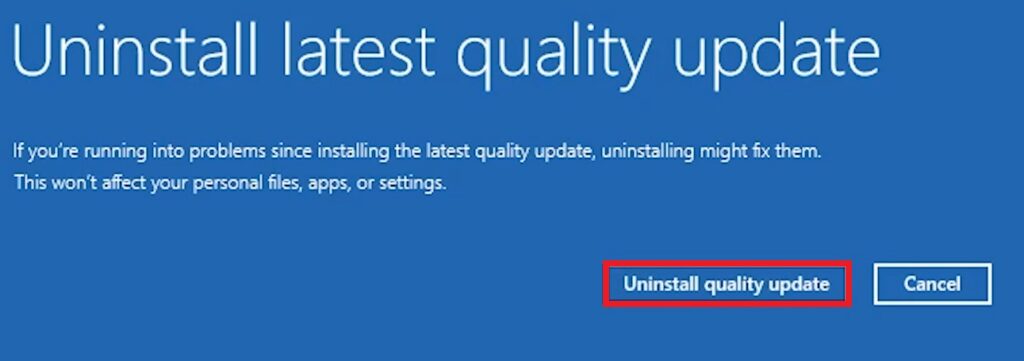
Finally, you will need to click on Uninstall quality update. (This process needs to be repeated up to 3 times, if you installed all the Out of Band Updates, so that in the end you also Uninstall the Patch Tuesday Update)
For more information about this, you can watch the video below from the youtube channel.
 11
11
 20
20

