
In this article, we will talk about how to Disable Windows 11 25H2 Telemetry Completely.
Every Windows 11 25H2 System if it’s not customized, will be full of settings and features that send data to either Microsoft or other companies. In this article, we will use an App that allows us to disable the telemetry in Windows 11 25H2 to the smallest detail.
ShutUp10 is a free portable software, that allows you to take control over privacy and convenience in Windows 10 & 11.
It has a very simple interface and you can also choose from certain presets of settings to be applied.
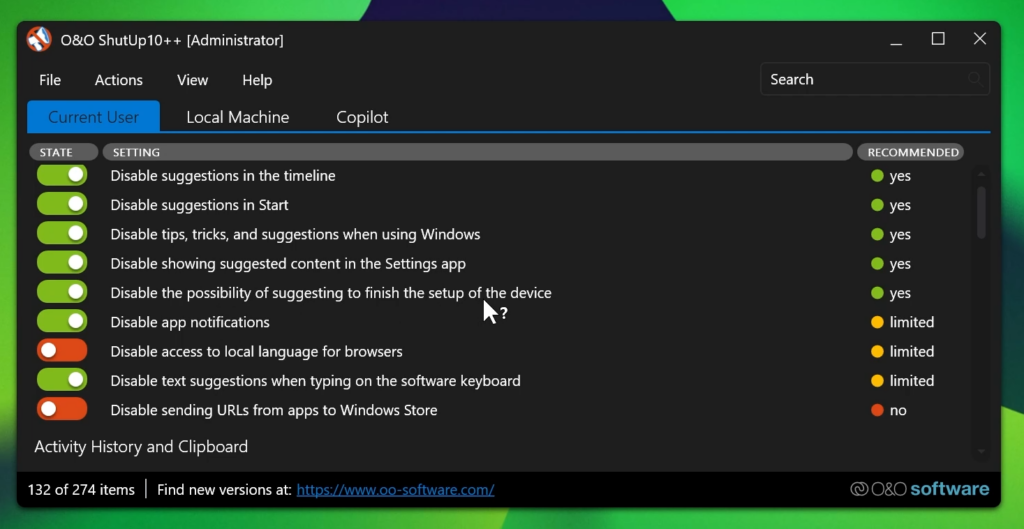
Best solution in my opinion, would be to personally customize each option and choose what’s best for you, because there are certain options that also come with downsides.
The software also allows you to change settings related to the current user, the whole system and as a bonus disable AI Features in Windows 11.
In the end the software will make your system more private and you won’t need to worry about sending data to other companies after using it.
For a more in-depth tutorial, you can watch the video below from the youtube channel.
 11
11
 20
20

