
In this article, we will talk about the latest Preview Build for Windows 11 26H2 in the Dev Channel, which is the Build 26300.8758.
Windows 11, version 26H2 represents Microsoft’s yearly second half major update as part of their standard annual Windows 11 update cadence. As Windows 11, version 26H2 shares the same servicing branch as Windows 11, version 25H2, the update is implemented through an enablement package (eKB). This means your device will be updated to the next version through a single restart – providing a familiar, fast, and reliable update experience.
Devices already enrolled in the Experimental channel will begin seeing their versioning updated to version 26H2 under Settings > System > About (and winver). If you are in the Beta channel and would like to switch to the Experimental, you can easily do so under Settings > Windows Update > Windows Insider Program. Remember, you can easily switch back to Beta at any time, without having to do a full Windows reinstall.
Not currently enrolled in the Windows Insider Program and wanting to preview version 26H2? Register for WIP selecting the Dev channel, while it’s transitioning to Experimental. Once the transition is complete, the new channel name to preview version 26H2 will appear as Experimental.
New Taskbar Size Option
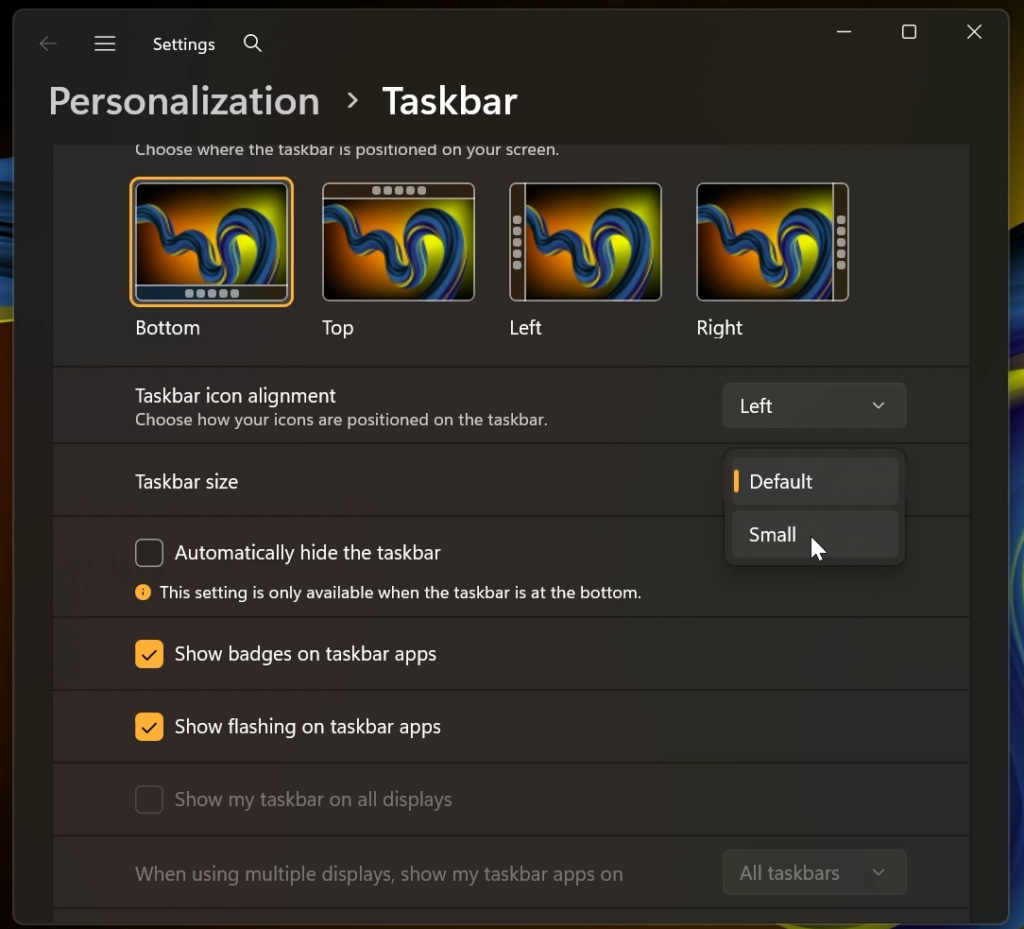
Microsoft is finally adding the Taskbar size option that allows you to change the Taskbar size to Default or Small.
New Taskbar Size Switch Animations
Microsoft is also adding a nice transition animation when switching between the Default and Small Taskbars.
New Taskbar Autohide Warning
Under the Automatically Hide the Taskbar Option, Microsoft has also added a warning stating: This setting is only available when the taskbar is at the bottom. This option still doesn’t work for other taskbar positions, but it will work in future builds.
New XBOX Mode
Xbox Mode has also been renamed to XBOX Mode.
New File Explorer Details Pane
We’ve improved the reliability of thumbnail previews for cloud files in the Details pane. The pane has also been reorganized so file properties are easier to find and review at a glance.
New File Explorer Fixes
- Fixed an issue where the OneDrive shortcut in File Explorer stops working when File Explorer is run in administrative mode.
- Fixed an issue where the confirmation dialog might display an internal Recycle Bin file name instead of the original file name when permanently deleting a file.
New System Sounds in Dark Mode
Improved system sounds when using Windows in dark mode.
For more information about this Build, you can check this article from the Microsoft Blog.
For a more in-depth presentation of the New Build, you can watch the video below from the youtube channel.
 11
11
 20
20

