
In this article, we will talk about a New Windows 11 25H2 Skip Microsoft Account Method that was recently discovered.
Since the release of Windows 11 and Microsoft’s Online Account Requirement, people have tried different ways of bypassing this requirement. A lot of previously used methods have been patched, but there are still a few methods that work.
In this article, we will talk about the most recently discovered one, that actually doesn’t require any command or workaround, just the Official Windows 11 Install.
This has been discovered by BobPony on Twitter/X and even though he is stating it only works on the Home Edition, it actually works on the Pro Version of Windows 11 as well.
Here’s how to do it. While installing Windows 11, when you get to the “Let’s add your Microsoft account” Section, you will have to click on the small Learn more button, below the text that explains you the advantages of a Microsoft Account.
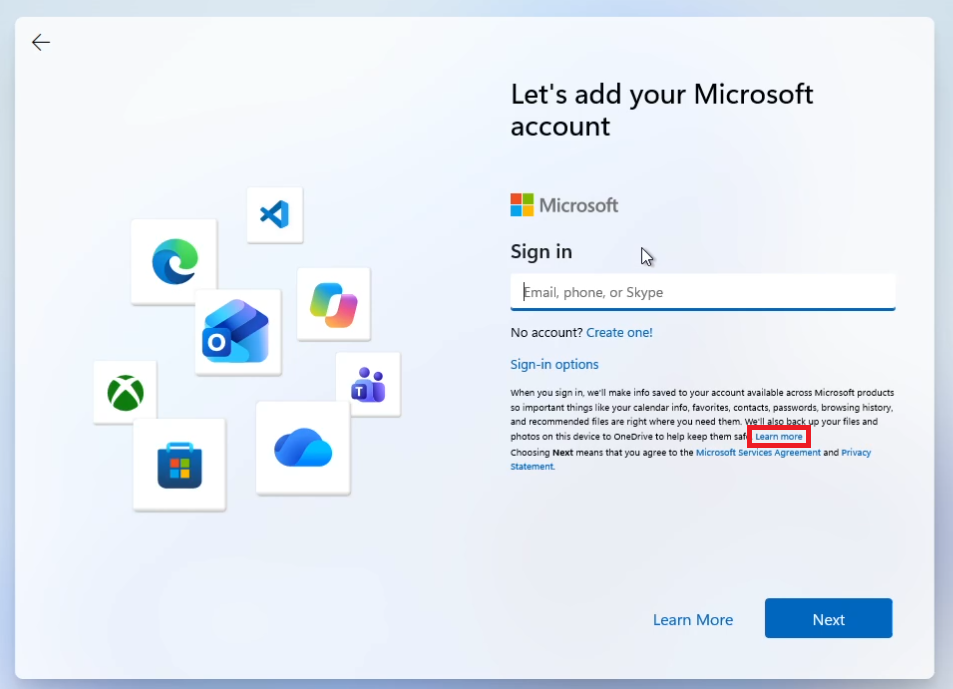
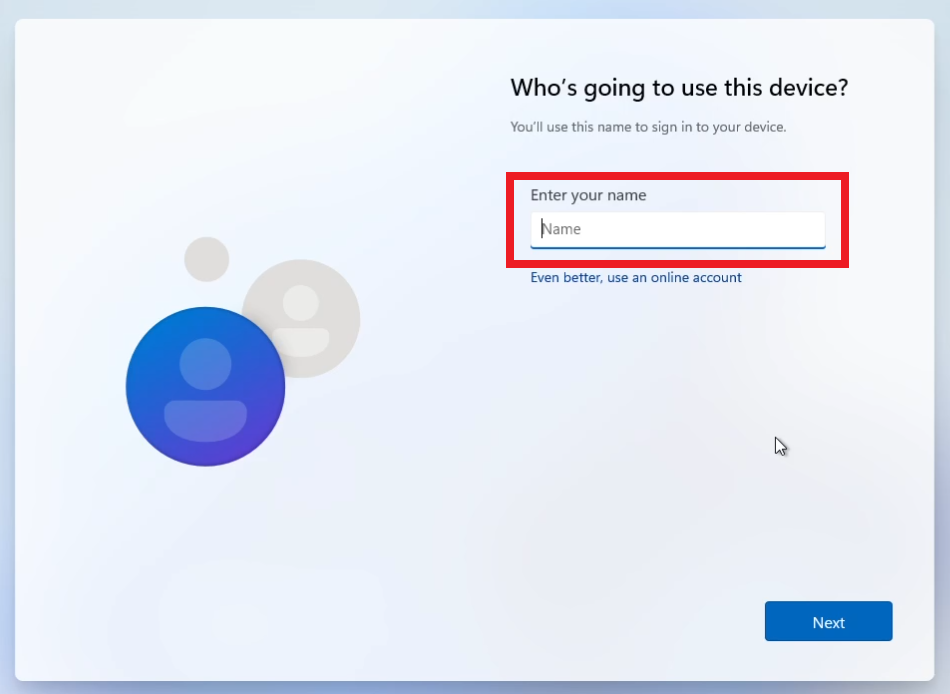
Once you click on that, the Setup will Skip directly to the Local Account Username part and now you can easily install Windows 11 with a Local Account. This will also allow you to skip all the ads from the Setup and finish Installing Windows 11 faster.
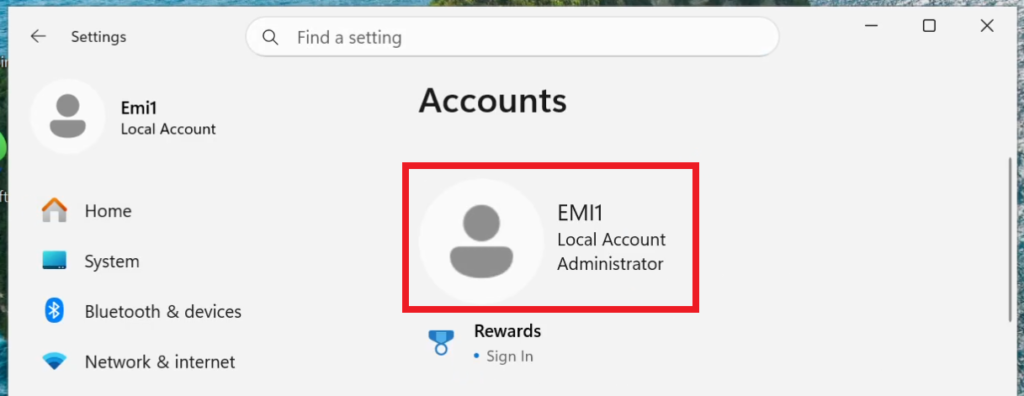
Once the setup is finished, you can see that we are using a Local Account as easy as that.
For additional Microsoft Account bypassing methods, you can check this article.
For a more in-depth tutorial, you can watch the video below from the youtube channel.
 11
11
 20
20

