
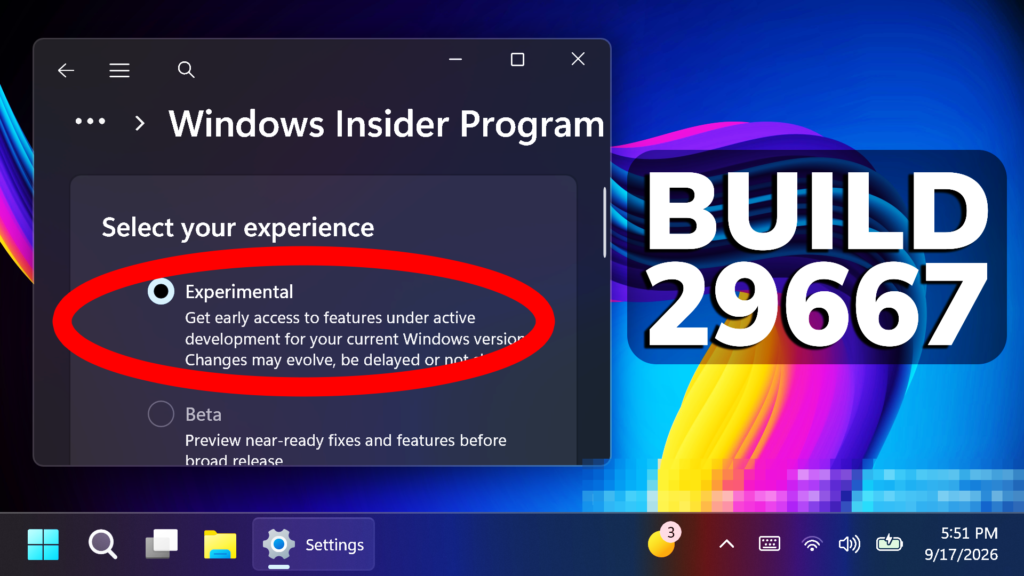
In this article, we will talk about the latest Windows 11 Insider Preview Build for the Experimental (Future Platforms) Channel, which is the Build 29667.
New Windows Update
We’re adding the ability to extend update pauses as many times as you need.
Quick Settings Change
The Bluetooth quick settings page is now navigable using gamepad input.
New Smart Card Removal Policy
Administrators can now configure Azure Virtual Desktop (AVD) and Windows 365 sessions that use Microsoft Entra ID (RDS AAD Auth) authentication to automatically disconnect when a redirected smart card is removed. This extends smart card removal policy enforcement to Microsoft Entra authenticated remote sessions, helping organizations meet security and compliance requirements.
New Windows Security
- We’re starting to make some small UI adjustments to the Windows Security app to improve alignment with other Windows apps. Insiders might notice some subtle differences in this build as we work on more changes.
- If you have an Enterprise device with Microsoft Defender for Endpoint enabled, information about this will now be displayed at the top of the Virus & threat protection page.
WMIC Removal
Windows Management Instrumentation Command-line (WMIC) has been removed in this release. This change is part of the ongoing deprecation and removal of WMIC from Windows.
Drag Tray Removal
Drag Tray is also being removed in this Build.
Magnifier Fix
Fixed an issue impacting Magnifier launching for some Insiders in the previous flight.
Other Fixes
Fixed an underlying issue that caused some unexpected UI shifting in certain apps after the latest flights.
Kerberos Enhancements
IAKerb is now enabled by default for Windows client. IAKerb is a Kerberos extension that allows Windows authentication to succeed in scenarios where traditional Kerberos can’t be used because a direct connection to a domain controller is unavailable. This extension helps reduce reliance on NTLM while improving compatibility for modern authentication scenarios. For additional background, implementation details, and early preview information, see Reducing NTLM Dependency: IAKerb and LocalKDC in Windows Insider Preview.
Input Fixes
- Fixed an issue in the latest builds that caused the mouse cursor to get into a state where it blinked repeatedly for some Insiders.
- Fixed an issue in the latest builds that caused the mouse cursor not to be visible in certain apps.
- Fixed an issue in the latest builds where the mouse pointer speed option in Settings didn’t work.
Windows Update Fixes
- Fixed an issue causing some Insiders to be unable to update to the latest builds and see error 0x80070005.
- Fixed an underlying issue resulting in some Insiders on Arm64 PCs not being able to upgrade to the latest builds and automatically rolling back. As a reminder, 0xc1900101 is a generic error code that can have multiple root causes.
New Emoji 17.0
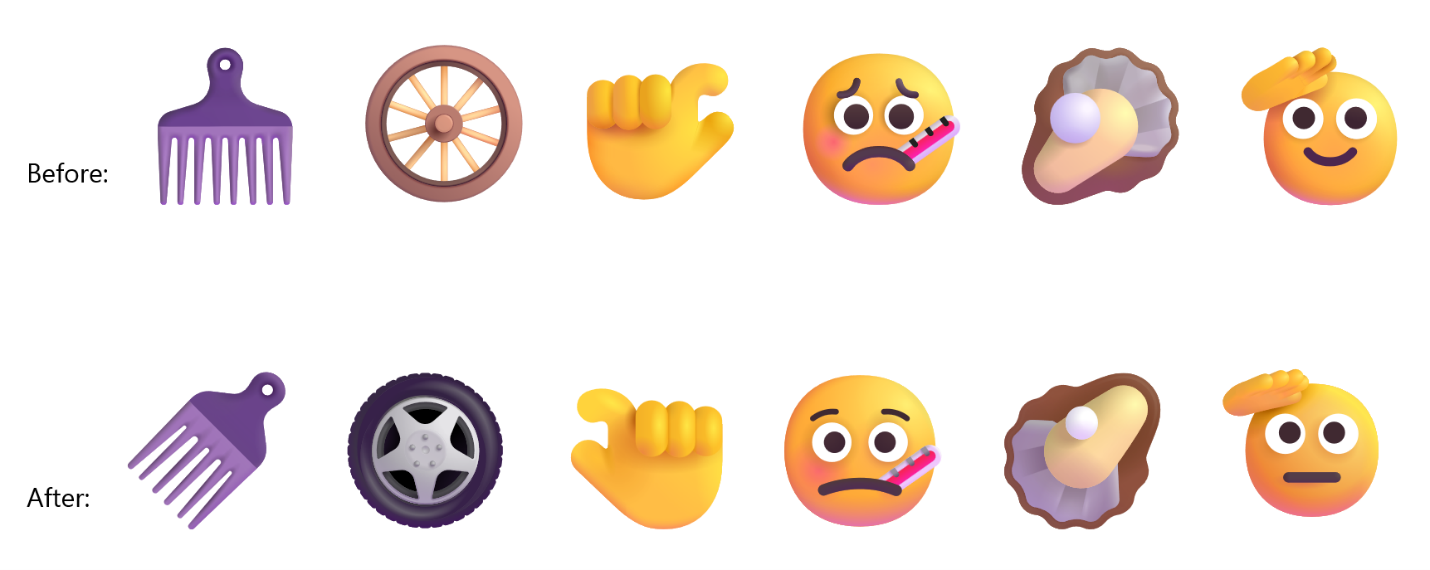
- We’re adding support for Emoji 17.0. This includes new emoji such as distorted face, fight cloud, and hairy creature. To try the new emoji, press the Windows key plus Period (.) to open the emoji panel and insert them from there.

- As part of this effort, we’ve also made some slight adjustments to the design of some of our current emoji to improve consistency across platforms. This includes the saluting face, face with peeking eye, goose, lotus, and kissing cat emoji.
Touchpad Fix
Fixed an issue causing touchpad zoom gestures to not work correctly in certain apps after the latest updates.
Remote Desktop Fix
Fixed an underlying issue causing some Insiders to see graphics card error 0x11 when attempting to use Remote Desktop in the latest updates.
Run Box Improvement
Improved Run reliability for Insiders using the modern Run dialog.
Taskbar Improvement
Improved reliability of loading the system tray area of the taskbar.
Network Fixes
- Fixed an issue resulting in some Insiders seeing an unexpected “The service to detect this status is disabled” message when opening Network and Sharing Center after the latest updates.
- Fixed an underlying issue resulting in some Insiders not being able to connect to certain Wi-Fi types after the latest updates. File a new piece of feedback if you continue experiencing issues, including a recording of the issue if possible.
For more information about this Build, you can check this article from the Microsoft Blog.
For a more in-depth presentation of the New Build, you can watch the video below from the youtube channel.
 11
11
 20
20

