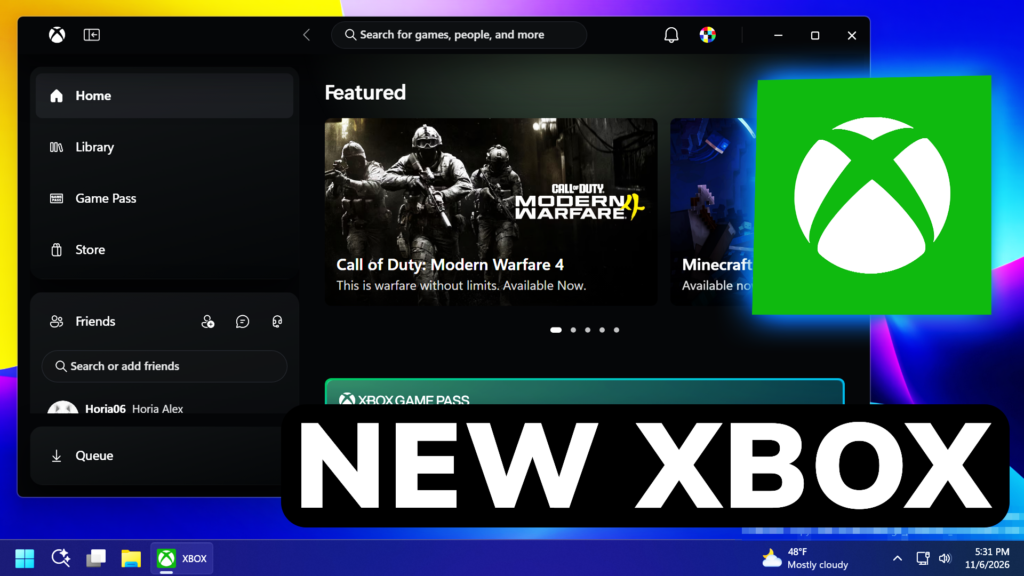
In this article, we will talk about the latest XBOX App Update, which is a Huge Change in Design and Performance.
The XBOX Team has recently announced a New XBOX App Update for Windows 11, which not only refreshes the design of the App, but also makes the App Faster in both Launch Times and General Usage.
How to Install the New XBOX App Update
Open the XBOX App, click on your Profile Picture and then click on XBOX Insider Program.
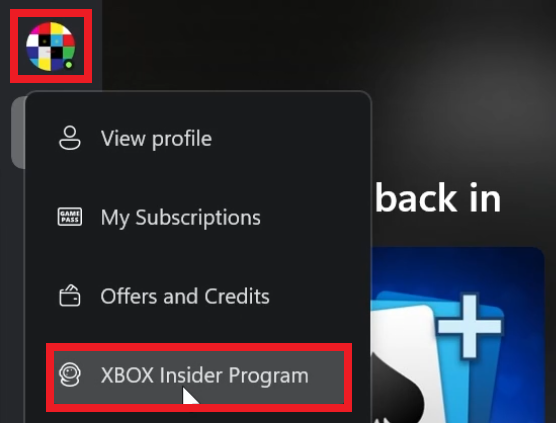
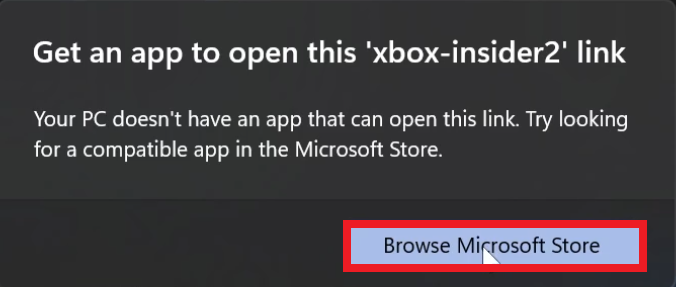
If you get the following notification, click on Browse Microsoft Store.
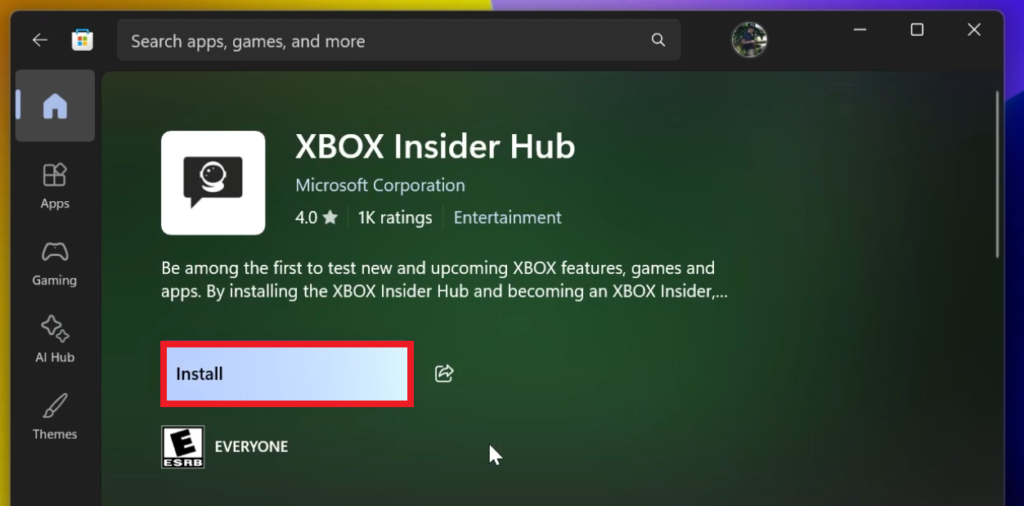
After that, make sure you Install the XBOX Insider Hub App.
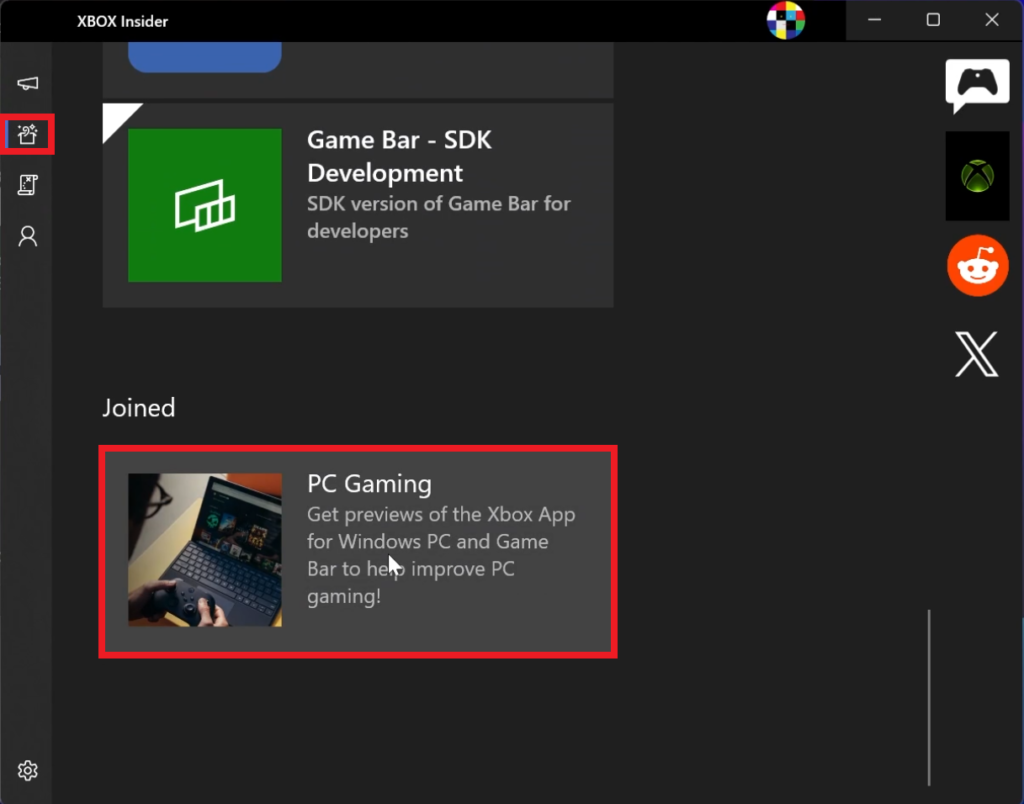
Open the XBOX Insider Hub App, click on Previews in the left side and then scroll down at the bottom to click on PC Gaming.
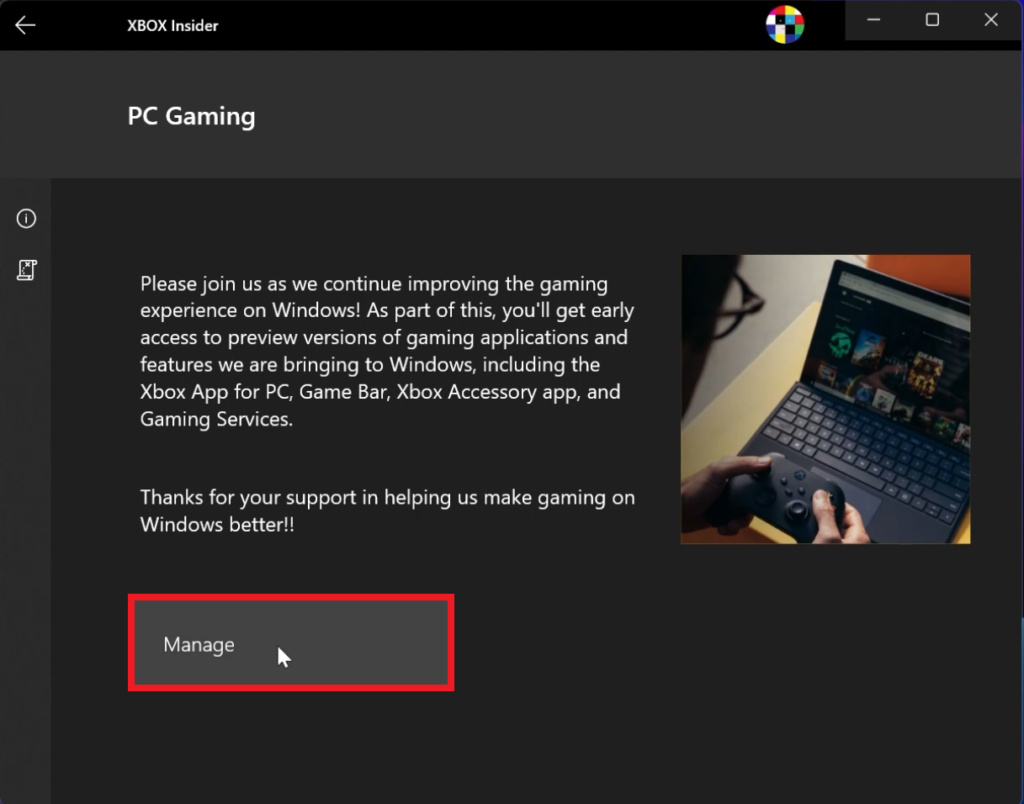
Finally, in the PC Gaming Page, click on Join, login to your account and after a few minutes, you should see the Manage button, which means you are successfully rolled into the XBOX Insider Program.
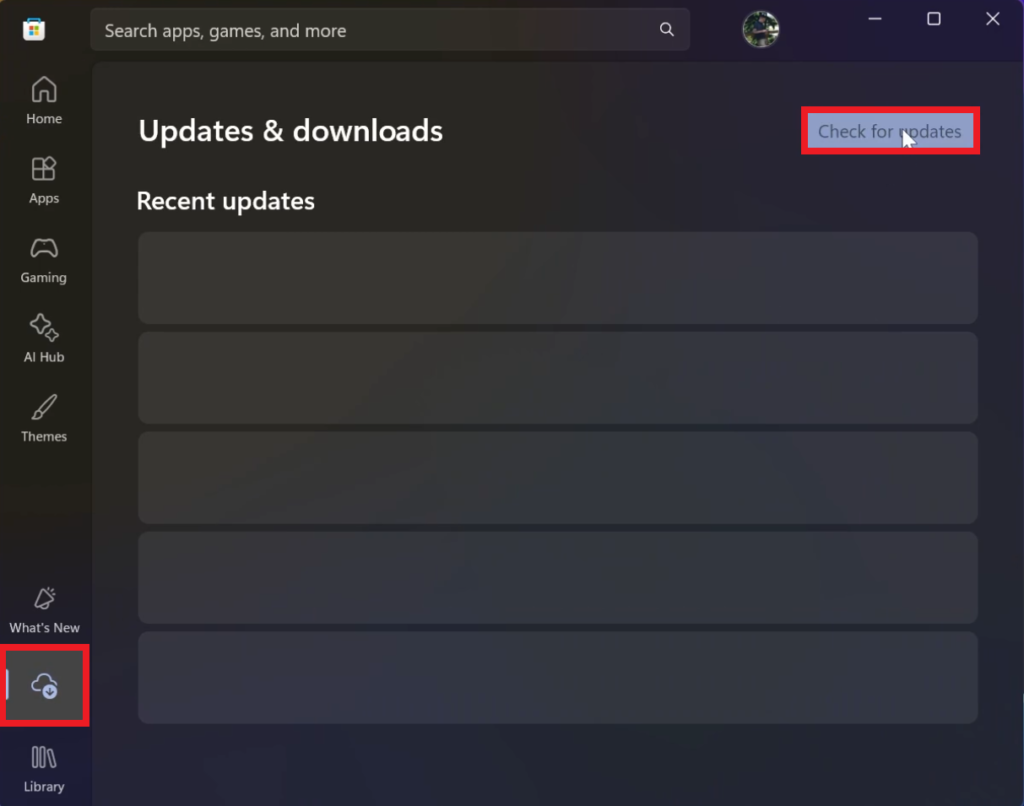
Make sure to then restart your computer and then open the Microsoft Store, go to Downloads and then click on Check for updates, to have the XBOX App Updated.
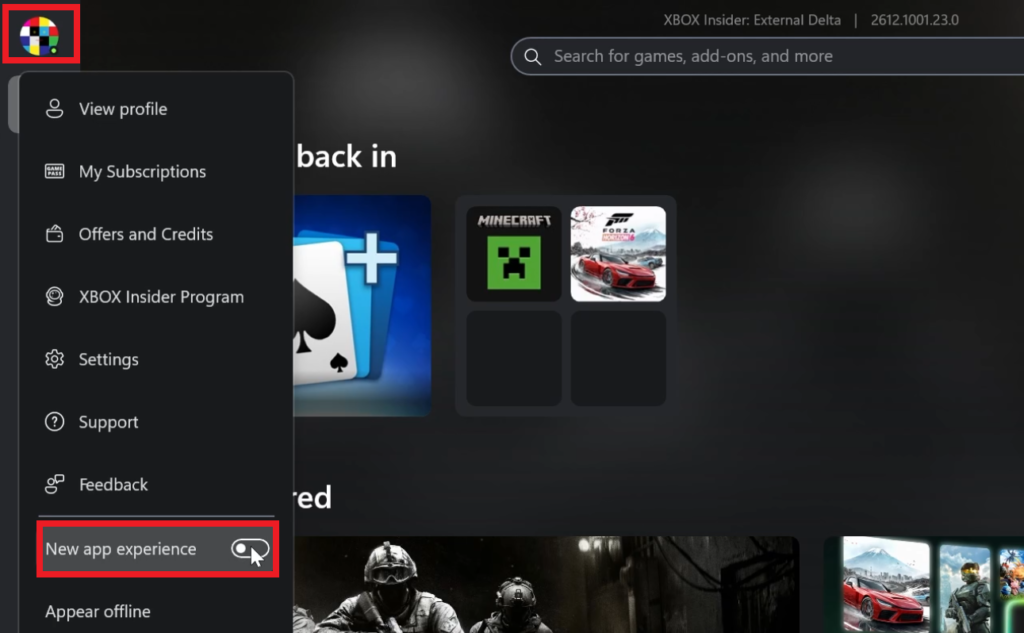
After everything is updated, you can open the XBOX App, and either receive a New Notification that allows you to switch to the New App Experience, or you can go to your Profile Picture again and Enable New app experience.
And that’s it, you should now have the New XBOX App Modern Experience.
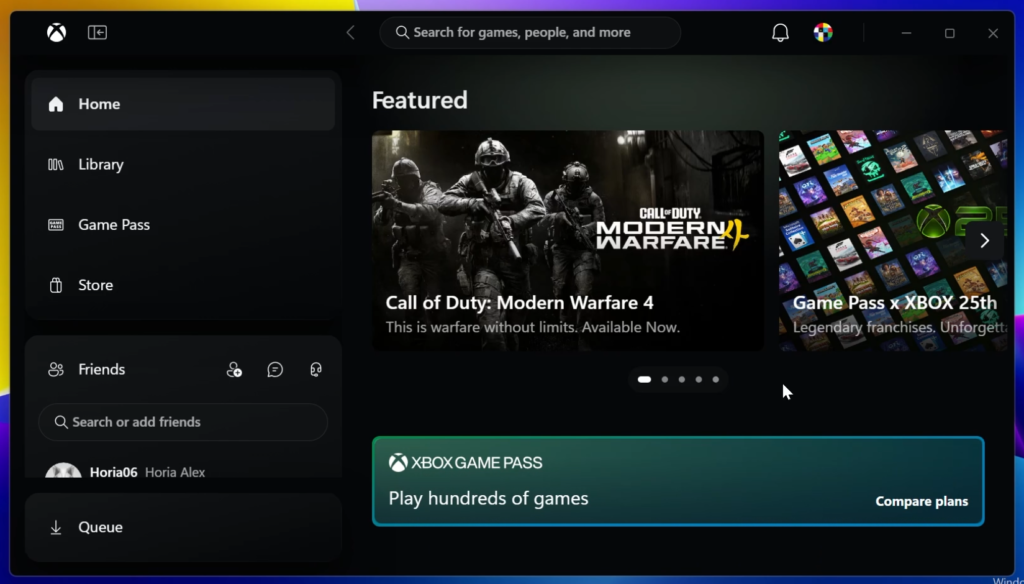
New XBOX App Experience
Starting today, XBOX Insiders can try an updated XBOX PC app that launches up to 60% faster and makes it easier to find games, connect with friends, and play.
XBOX Insiders will start seeing improvements across the XBOX PC app designed to make everyday actions faster and easier:
- A faster, more responsive app: The app now launches up to 60% faster. Pages like Home, Store, and Game Pass load up to 50% faster, and in-app windows open up to 65% faster.*
- An easier-to-use Library: Simpler navigation, updated filters, and new ways to organize your games make it easier to browse your collection and find what you want to play.
- Friends are easier to reach: Friends and social features are now part of the main navigation, making it easier to see what friends are playing, start a chat, or join a party.
- Better search: Search across more of XBOX from one place, with results across games, including installed titles and add-ons, and people, so it’s easier to find what you’re looking for.
- A cleaner look and feel: Refreshed game cards, Home, Settings, and animations make the app easier to scan and navigate.
The updated experience also makes it easier to find and play your games:
- Your cloud games in one place: A new Library tab brings together the games you can play through cloud, whether you own them or access them through XBOX Game Pass. Browse, sort, and filter by recently played, genre, input options, and more.
- More room to browse on larger screens: Desktop mode makes better use of the space on PCs and larger displays, so you can see more as you browse and find games.
- More ways to make it yours: Choose between dark and light modes, along with five new high-contrast options designed to support different visual needs and preferences.
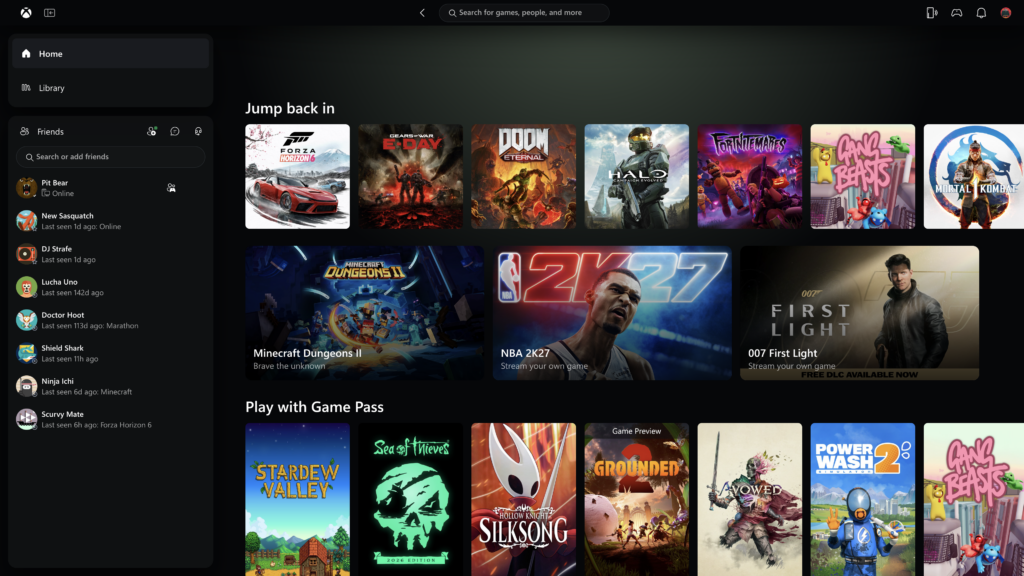
Microsoft is also beginning to bring the refreshed look and navigation to XBOX cloud gaming apps on supported TVs and VR headsets.
For more information related to the New XBOX App Update, you can check this article from the XBOX Blog.
For a more in-depth tutorial, you can watch the video below from the youtube channel.
 11

 20