
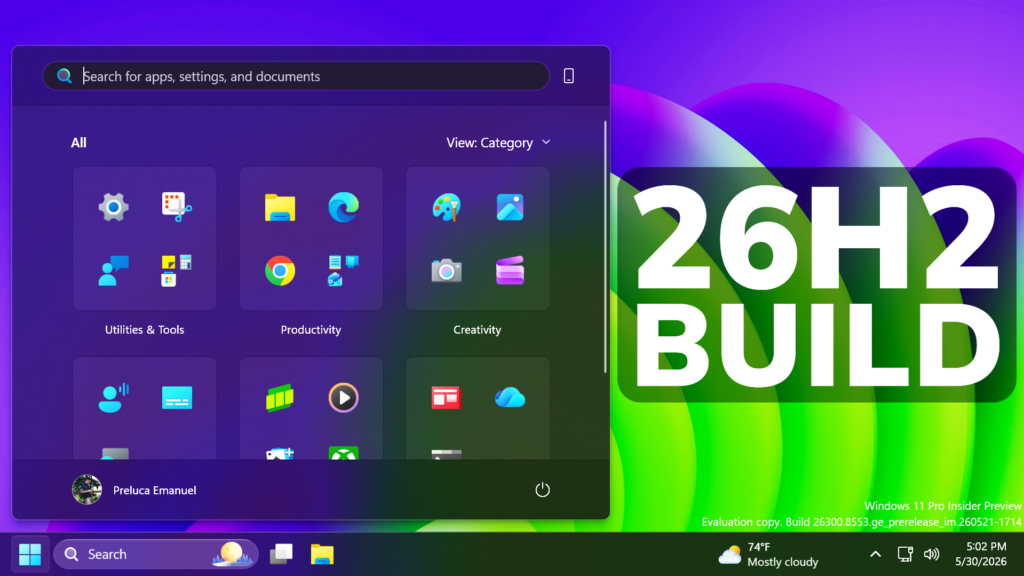
In this article, we will talk about the latest Preview Build for Windows 11 26H2 in the Dev Channel, which is the Build 26300.8553.
These 26300 series builds will contain many of the same features and improvements as the 26220 series builds that will continue to be released in the Beta Channel. Over time, Microsoft will be making behind-the-scenes platform changes in each build so they may have different known issues because of those changes. These Builds are previewing Features that will be part of Windows 11 26H2, the Big Annual Release for 2026.
New Start Menu Customizable Sections
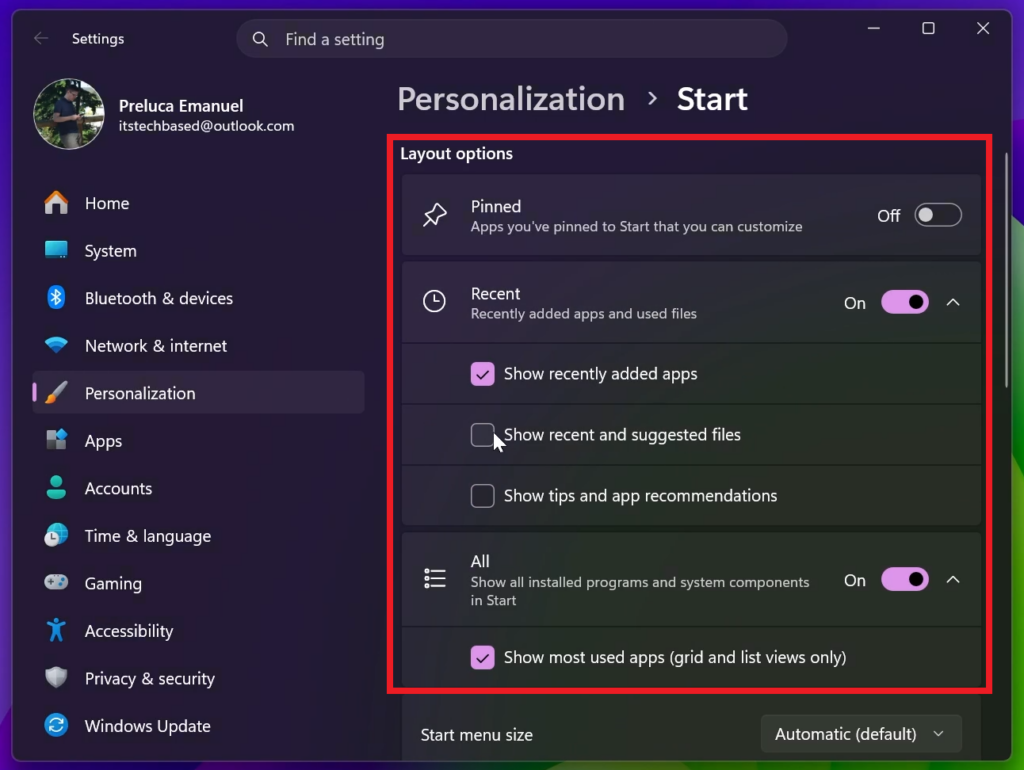
Microsoft has renamed Recommended section to Recent in Start and Settings page and have added section-level toggles to independently show or hide Pinned, Recommended, and All.
They have also redesigned the Start menu settings page.
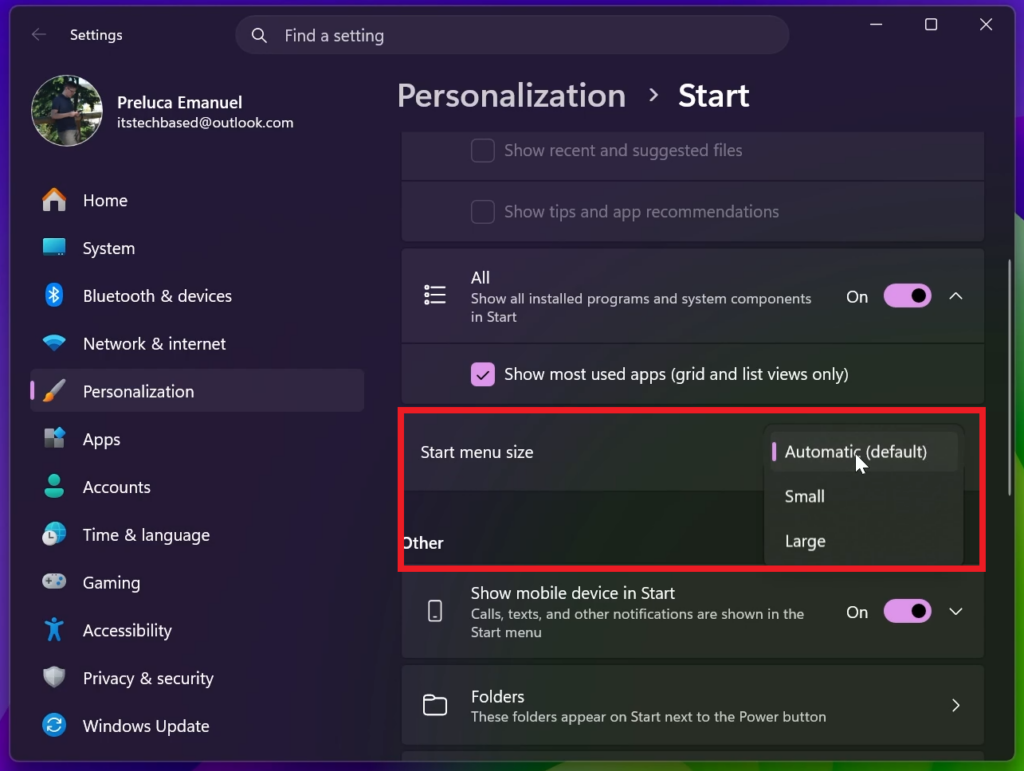
New Start Menu Sizes: Small, Large and Auto
You can now also choose between a small and large Start menu, in addition to “Automatic (default)” setting option that’s already available today.
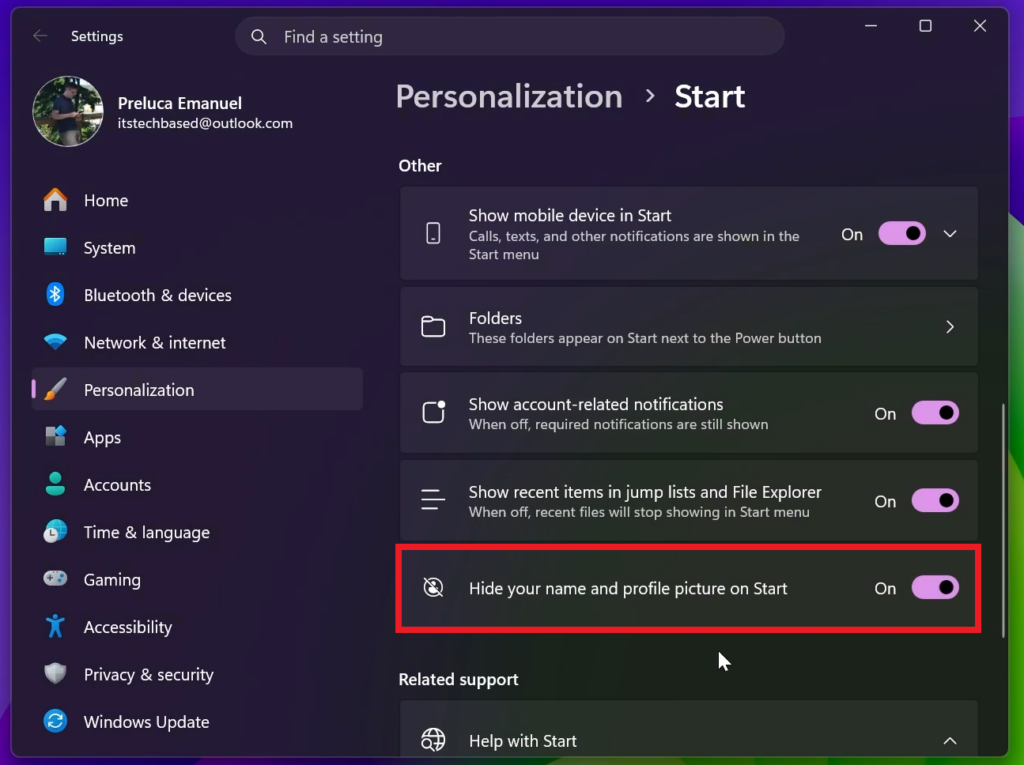
New Start Menu Options to Hide Name and Profile Picture
You now also have the option to hide your name and profile picture in Start.
New Windows Search
Search by Substring: Files with compound names or content (e.g., MeetingNotesApril, ProjectStatusReport) are now easily discoverable by typing “april” or “status”.
New Taskbar Previews
Microsoft is also updating the Taskbar Position Previews in Taskbar Settings.
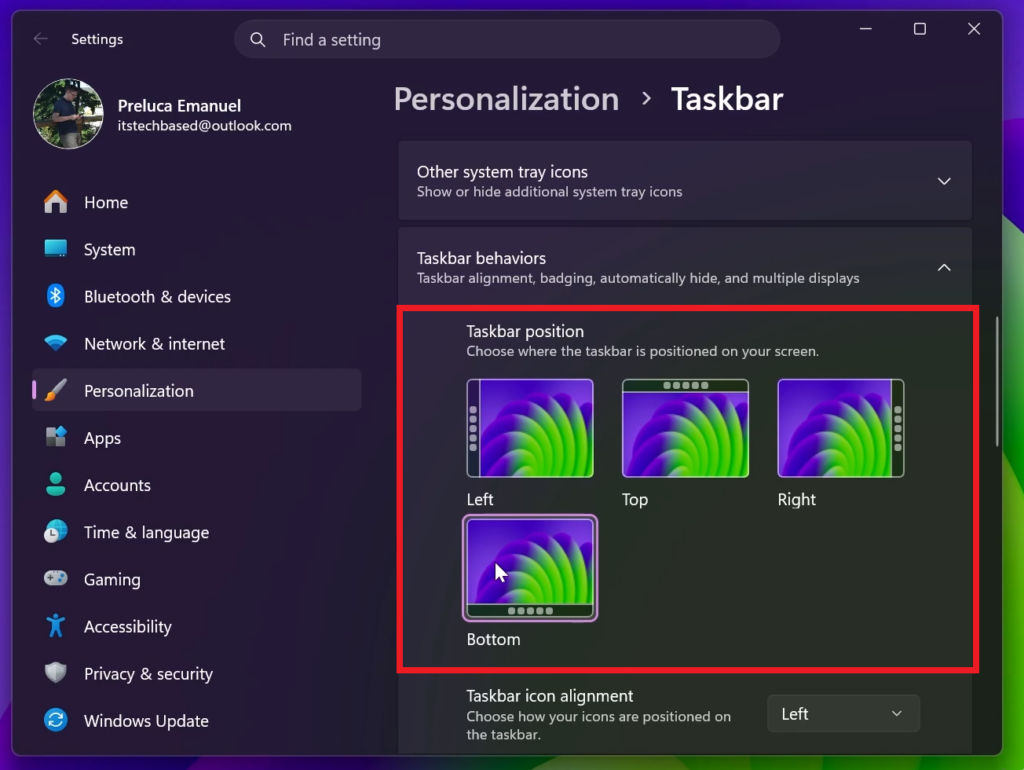
Taskbar Fixes
- Fixed a few small visual polish issues when using the taskbar in alternate positions.
- You can now use a touch swipe to invoke the taskbar when using alternate taskbar positions.
Reset PC Fix
[Fixed] Resetting your PC may get stuck when using “Reset this PC.” To complete the reset successfully, choose the cloud download option (Cloud PBR) instead of local.
For more information about this Build, you can check this article from the Microsoft Blog.
For a more in-depth presentation of the New Build, you can watch the video below from the youtube channel.
 11
11
 20
20

