
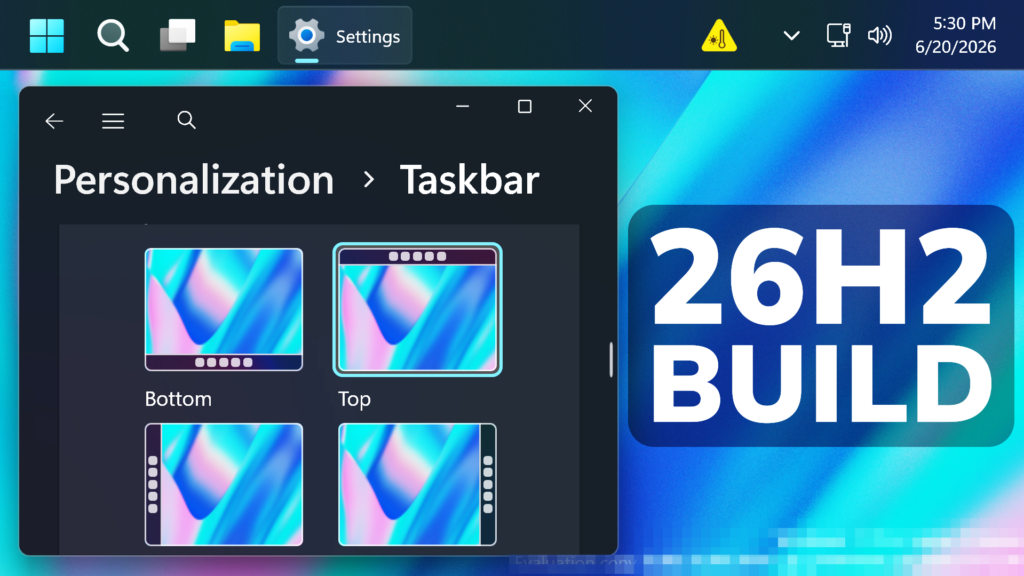
In this article, we will talk about the latest Preview Build for Windows 11 26H2 in the Dev Channel, which is the Build 26300.8697.
Windows 11, version 26H2 represents Microsoft’s yearly second half major update as part of their standard annual Windows 11 update cadence. As Windows 11, version 26H2 shares the same servicing branch as Windows 11, version 25H2, the update is implemented through an enablement package (eKB). This means your device will be updated to the next version through a single restart – providing a familiar, fast, and reliable update experience.
Devices already enrolled in the Experimental channel will begin seeing their versioning updated to version 26H2 under Settings > System > About (and winver). If you are in the Beta channel and would like to switch to the Experimental, you can easily do so under Settings > Windows Update > Windows Insider Program. Remember, you can easily switch back to Beta at any time, without having to do a full Windows reinstall.
Not currently enrolled in the Windows Insider Program and wanting to preview version 26H2? Register for WIP selecting the Dev channel, while it’s transitioning to Experimental. Once the transition is complete, the new channel name to preview version 26H2 will appear as Experimental.
26H2 is Official
With today’s build, Windows Insiders in the Experimental channel will see the versioning updated under Settings > System > About (and winver) to version 26H2. For more information, see the Windows Insiders blog.
New Windows Search UI
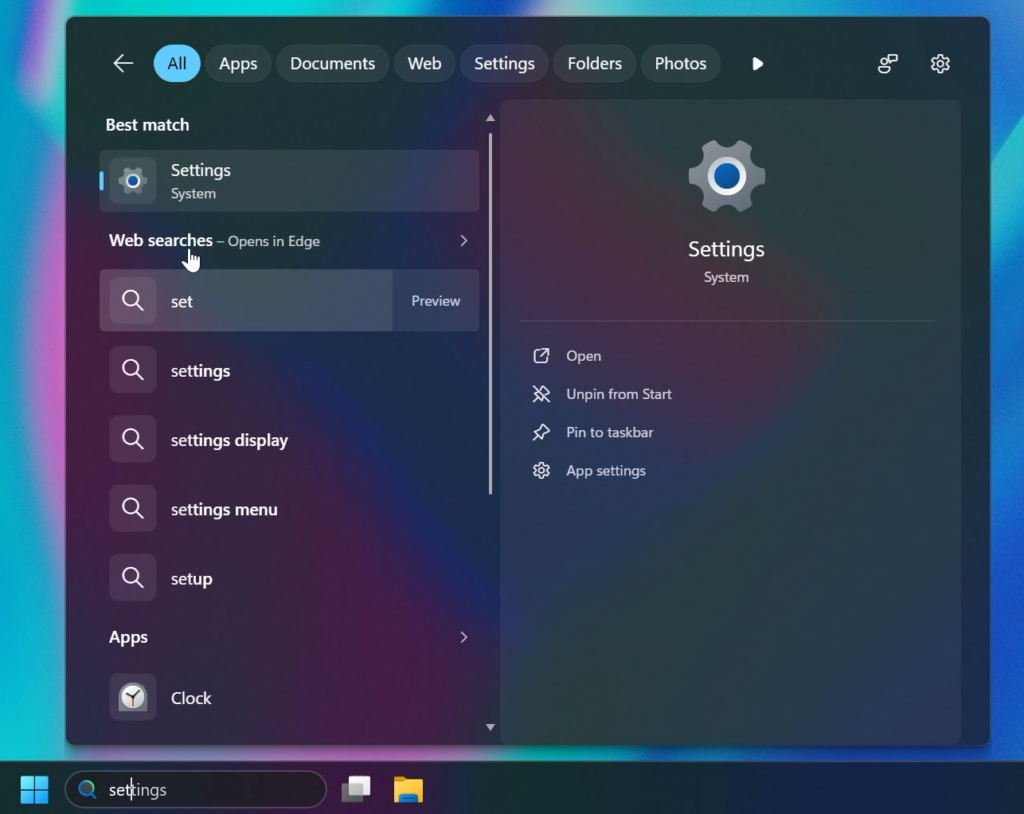
Microsoft is testing a New Windows Search UI as a Hidden Feature, with New Updated Sections and better Categorized Search Results.
New Settings Option to Disable Web Search Results
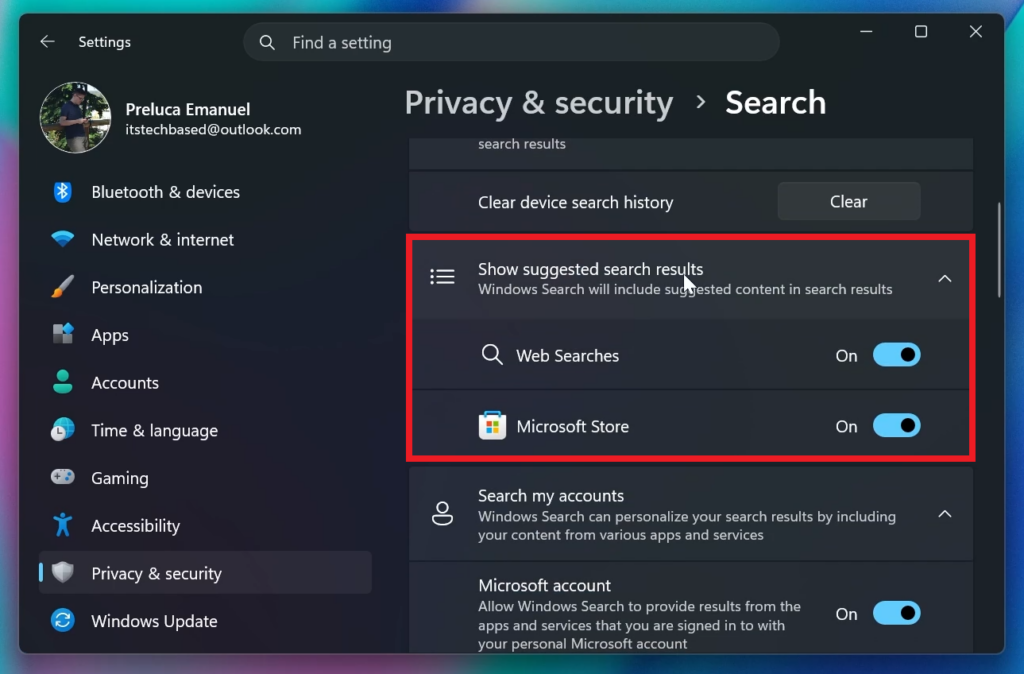
Microsoft is also adding the New Options to Disable Web Searches or Microsoft Store results from Windows Search.
New Taskbar Animations
Microsoft has also added New Transition Animations for when switching Taskbar Locations on the Desktop or when changing the Taskbar Size to Small.
New Small Taskbar Option
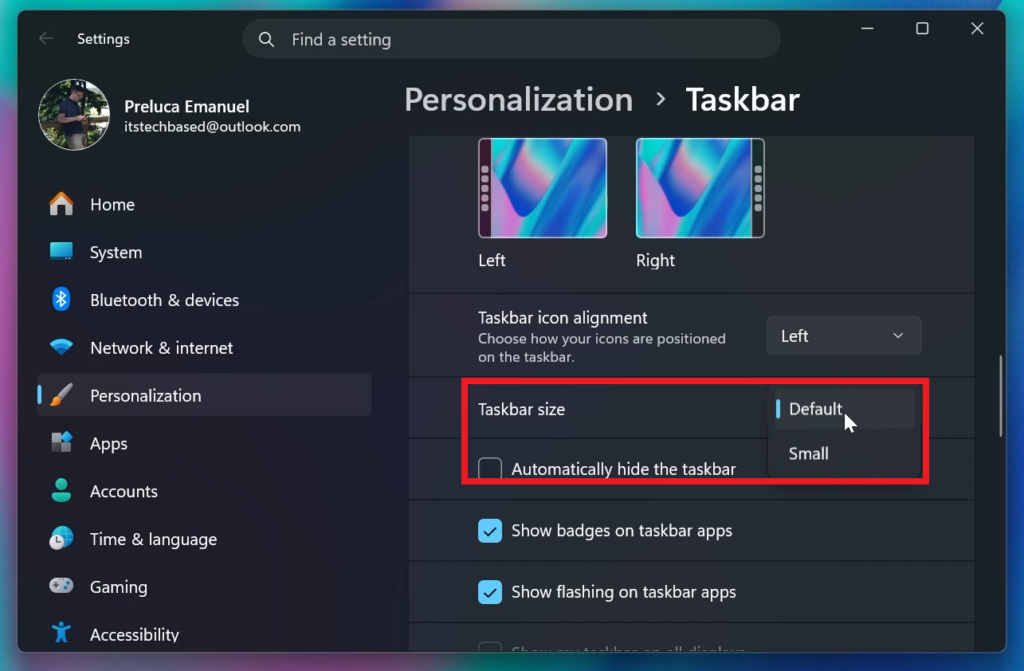
Microsoft has also added a separate Option to Enable the Small Taskbar allowing for even more Taskbar Personalization Options.
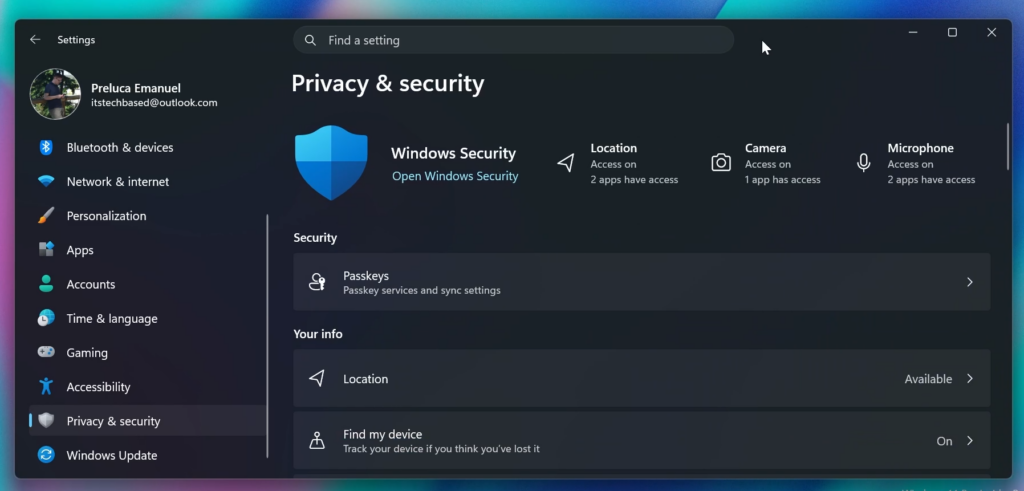
New Privacy & Security Settings Page
The New Rejuvenated Privacy & Security Settings Page has made its way back to testing in the Experimental Channel aswell. This includes some New Quick Link Cards at the top and better categorized sections in the main page.
New Enhanced Sign-in Security
For supported Devices, Microsoft is also re-adding the Enhanced Sign-in Security section in the Accounts > Sign-in Options that works along side Windows Hello.
New File Explorer Dark Mode Dialog
Microsoft has also improved the visual consistency and reliability of the Copy dialog in Dark mode, including its launch experience and the expanded progress view.
New Start Menu Improvement
Improved reliability of Start menu reflecting newly installed or removed apps without requiring sign-out or restart.
Taskbar Fix
Fixed an issue for Insiders using the new smaller taskbar option, where the system tray might get cut off or pushed off screen.
Settings Fix
Improved reliability of Settings > Apps > Startup.
Virtualization Fix
This update addresses an issue that could result in bugchecks citing HYPERVISOR_ERROR (0x20001) and KMODE_EXCEPTION_NOT_HANDLED (0x1E) errors after installing the latest flights on some devices during system restarts, virtual machine operations, or while running some gaming applications.
For more information about this Build, you can check this article from the Microsoft Blog.
For a more in-depth presentation of the New Build, you can watch the video below from the youtube channel.
 11
11
 20
20

