
In this article, we will talk about All the New Windows K2 Features that we can test in July 2026, this including the New Taskbar Size and Animations, New Windows Search and more.
Windows K2, for those of you who don’t know, if Microsoft Codename for the internal plan that wants to fix Windows 11 and to address the main painpoints that users have reported for years now.
New Available Updates Section in Windows Update
As announced in the Windows Update announce blog, Microsoft is now bringing a new unified update experience to reduce the number of reboots you see per month. We are starting by coordinating driver, .NET, and firmware updates to align with the monthly quality update, reducing the update experience to a single monthly restart. See the blog for more information.
New File Explorer Improvements
- Middle click to open a folder in a new tab is now supported in the Address Bar and the Home page for a more consistent and efficient tabbed navigation experience across File Explorer.
- Improved screen reader announcements for conflict resolution dialog (“Which files do you want to keep?”) when moving / copying files.
- Made some more improvements to how File Explorer responds to increased text scaling.
- Microsoft has also improved the visual consistency and reliability of the Copy dialog in Dark mode, including its launch experience and the expanded progress view.
- Microsoft has improved the reliability of thumbnail previews for cloud files in the Details pane. The pane has also been reorganized so file properties are easier to find and review at a glance.
- Fixed an issue where the OneDrive shortcut in File Explorer stops working when File Explorer is run in administrative mode.
- Fixed an issue where the confirmation dialog might display an internal Recycle Bin file name instead of the original file name when permanently deleting a file.
New Dark Mode Task Manager Dialog
When using dark mode, if you open “Run new task” from Task Manager it will now show in dark mode too.
New Windows Search UI
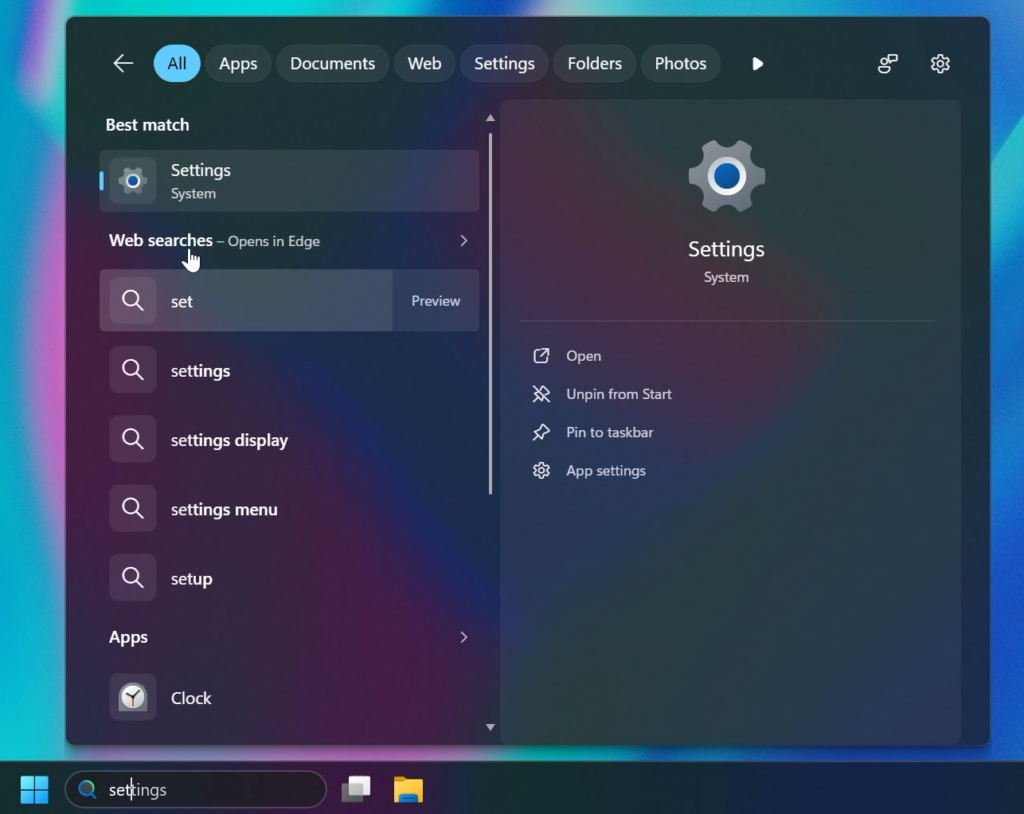
Microsoft is testing a New Windows Search UI as a Hidden Feature, with New Updated Sections and better Categorized Search Results.
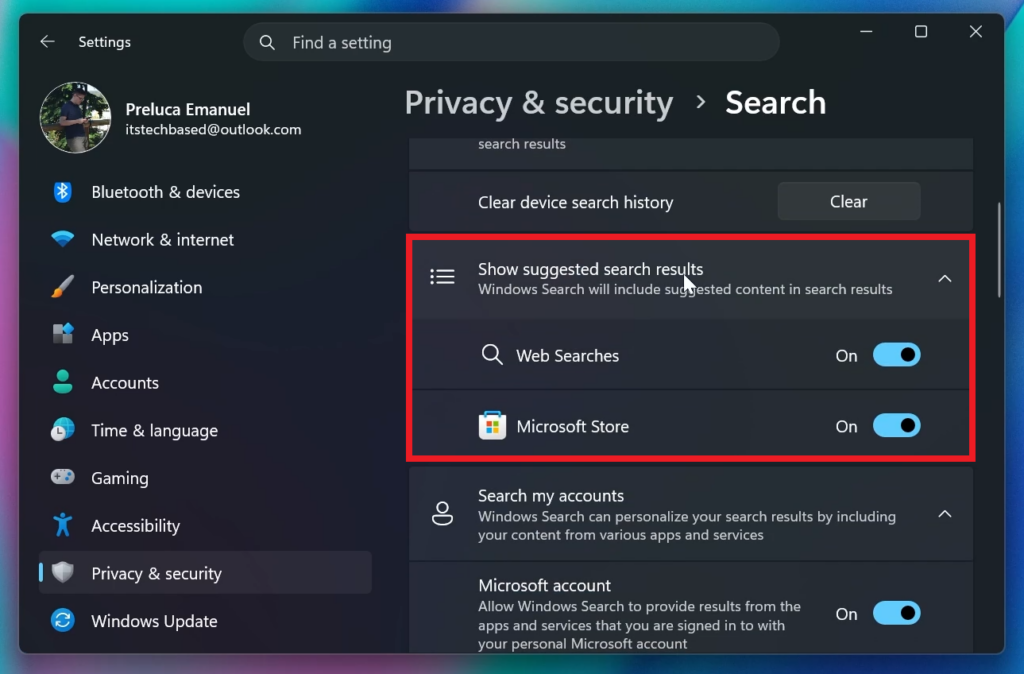
New Settings Option to Disable Web Search Results
Microsoft is also adding the New Options to Disable Web Searches or Microsoft Store results from Windows Search.
New Search Improvements
- Finding apps is more forgiving. Search is better at handling typos, dropped letters, extra letters, and partial words for apps. Queries like “utlook” can still find Outlook.
- Settings results are improving. We’ve made ranking improvements to help more relevant settings appear higher in results.
New Taskbar Animations
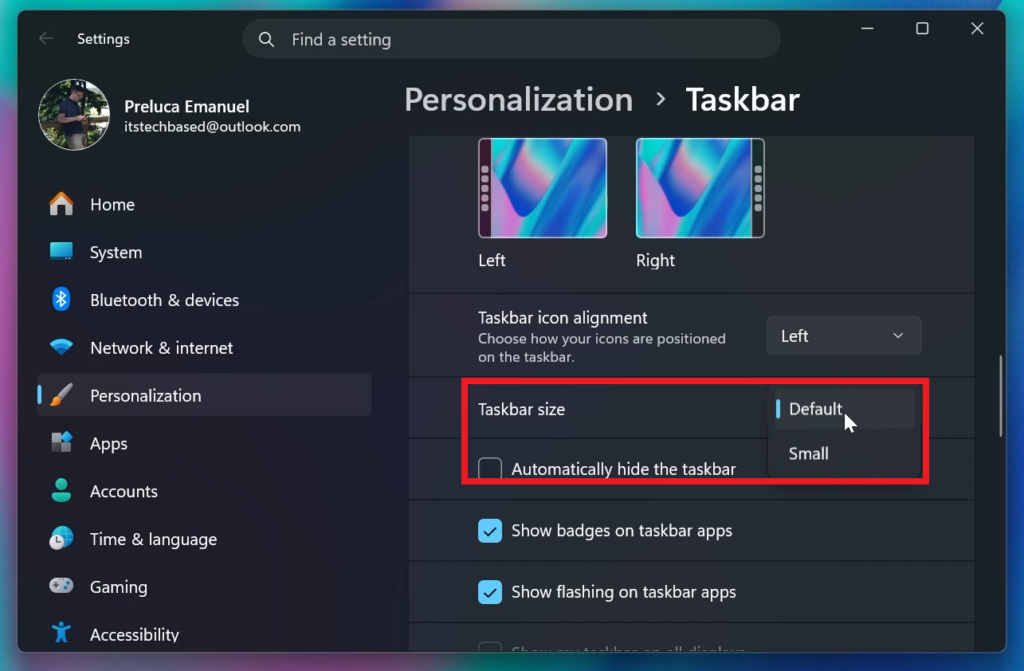
Microsoft has also added New Transition Animations for when switching Taskbar Locations on the Desktop or when changing the Taskbar Size to Small.
New Taskbar Size Option
Microsoft has also added a separate Option to Enable the Small Taskbar allowing for even more Taskbar Personalization Options.
New Taskbar Autohide Warning
Under the Automatically Hide the Taskbar Option, Microsoft has also added a warning stating: This setting is only available when the taskbar is at the bottom. This option still doesn’t work for other taskbar positions, but it will work in future builds.
New Taskbar Improvements
- Improved reliability of loading the system tray area of the taskbar.
- Fixed an issue where tooltips might unexpectedly appear on top of the Start menu icon in the taskbar when using the taskbar in an alternate position. Also fixed a few other visual polish issues when using the taskbar with small icons.
- Fixed an issue for Insiders using the new smaller taskbar option, where the system tray might get cut off or pushed off screen.
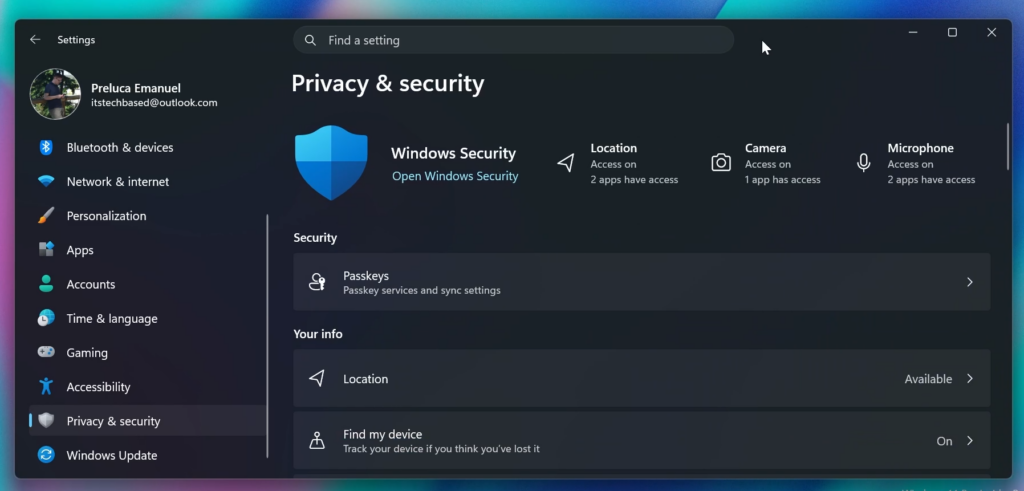
New Privacy & Security Settings Page
The New Rejuvenated Privacy & Security Settings Page has made its way back to testing in the Experimental Channel aswell. This includes some New Quick Link Cards at the top and better categorized sections in the main page.
For a more in-depth presentation of the New Windows K2 Features, you can watch the video below from the youtube channel.
 11
11
 20
20

