
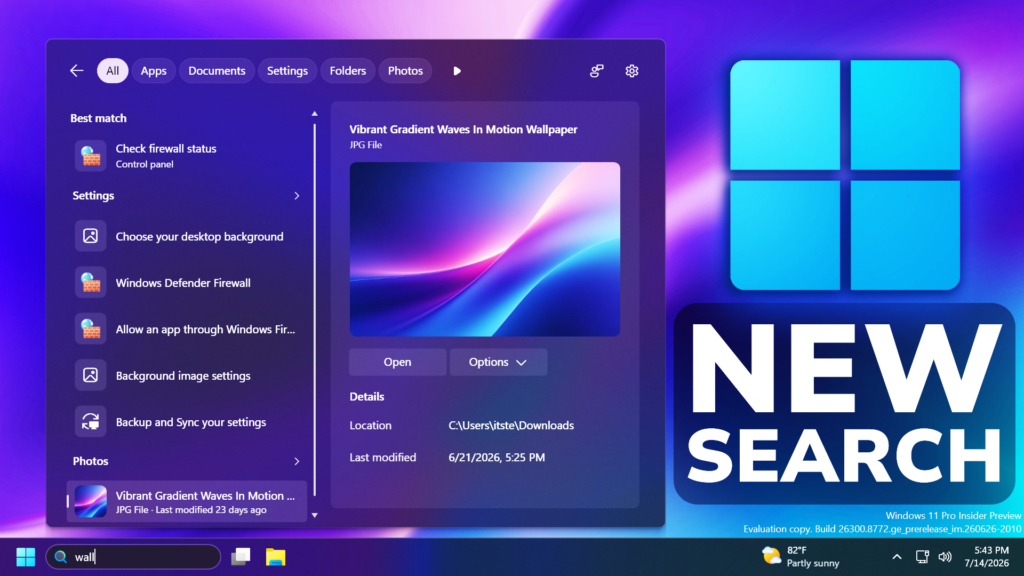
In this article, we will talk about the latest Windows K2 Update, which improves Search in Windows 11.
In the latest Windows 11 Insider Preview Build for the Experimental Channel which is the Build 26300.8772, Microsoft has started rolling out all the New Search Improvements that can be easily enabled through Feature Flags. In this article, I will show you how to enable the New Search and all the Search Improvements that have been added.
Enable New Search
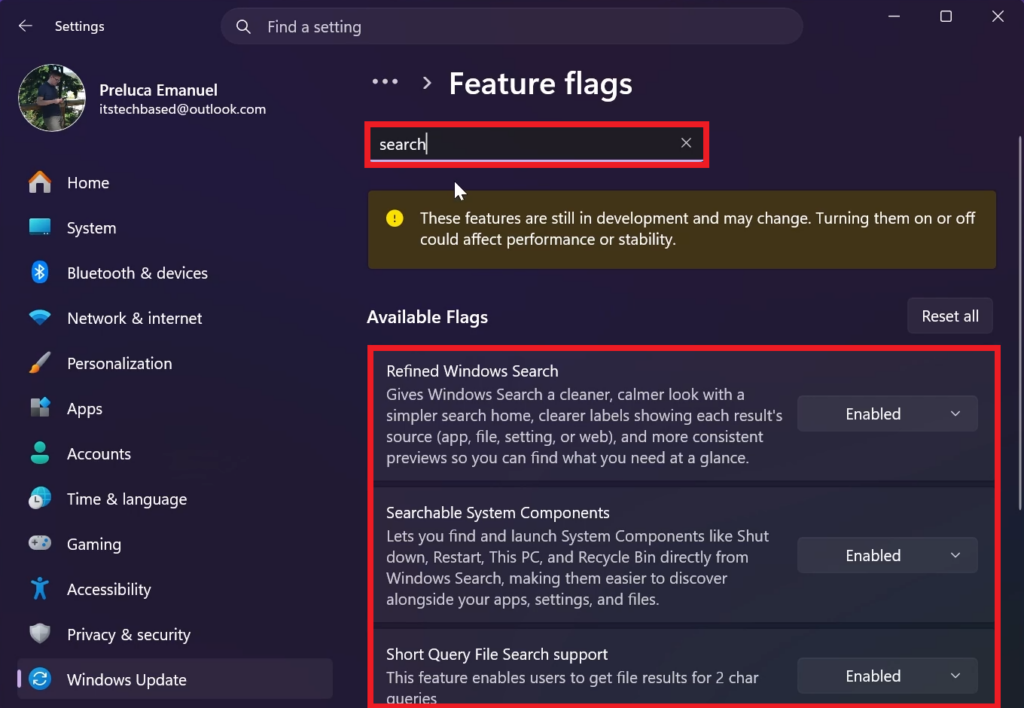
To enable the New Windows Search, you will need to be on the latest Build from the Experimental Channel, which is the Build 26300.8772 and enable all relevant Search Feature Flags.
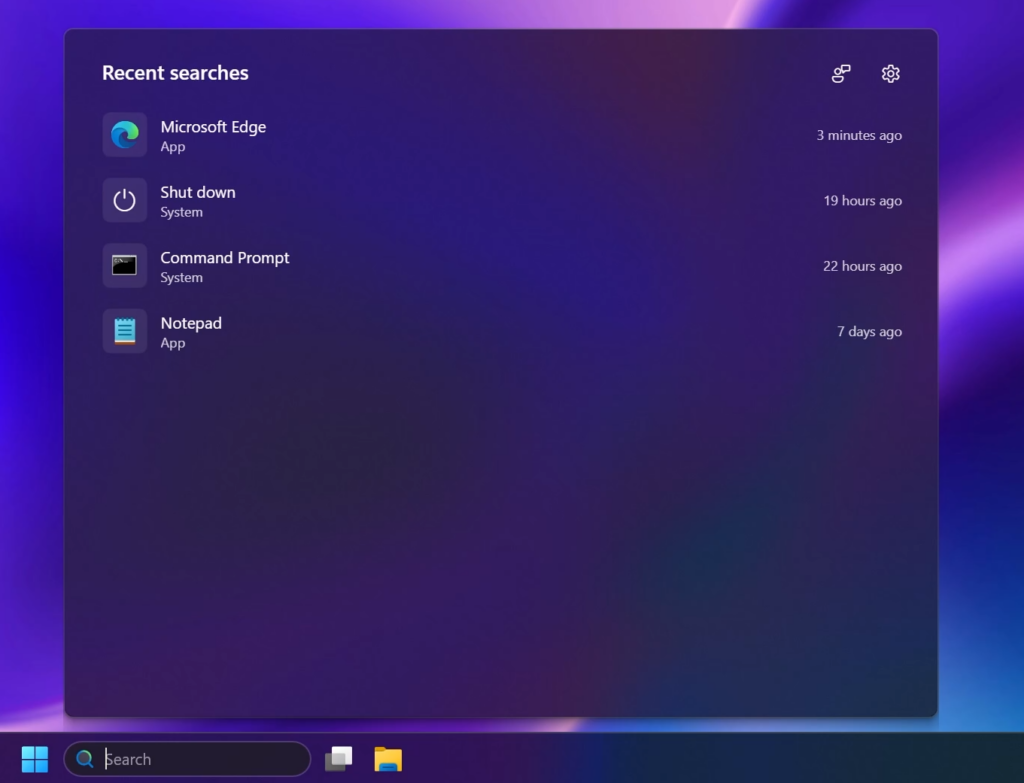
New Search Home
Search home has been simplified to reduce visual clutter and make it easier to get back to recent searches quickly.
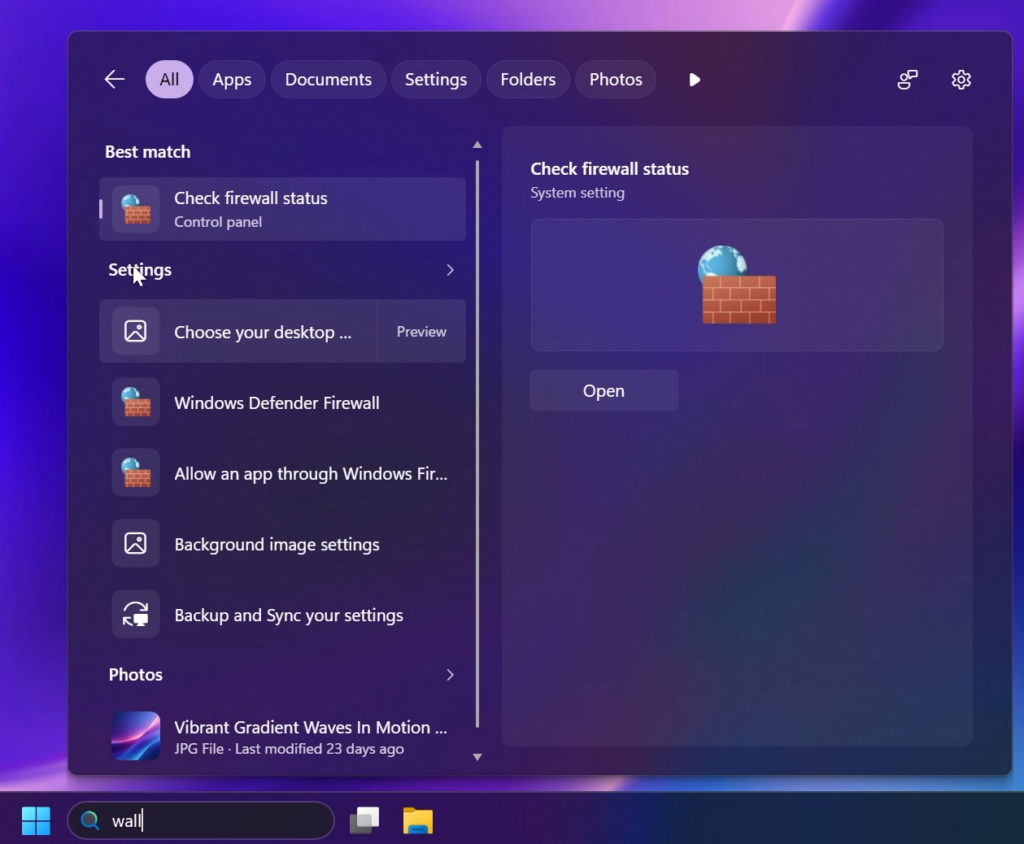
New Search UI
Search does a better job showing where a result comes from—app, setting, file, web result, or Store suggestion—so it’s easier to tell what you’re looking at and where you will go before you click.
Removed Promotional Content from Search
Promotional content has been removed from web results. Web results show the most relevant answer, instead of first showing related products and promotions, helping search feel more focused and less distracting.
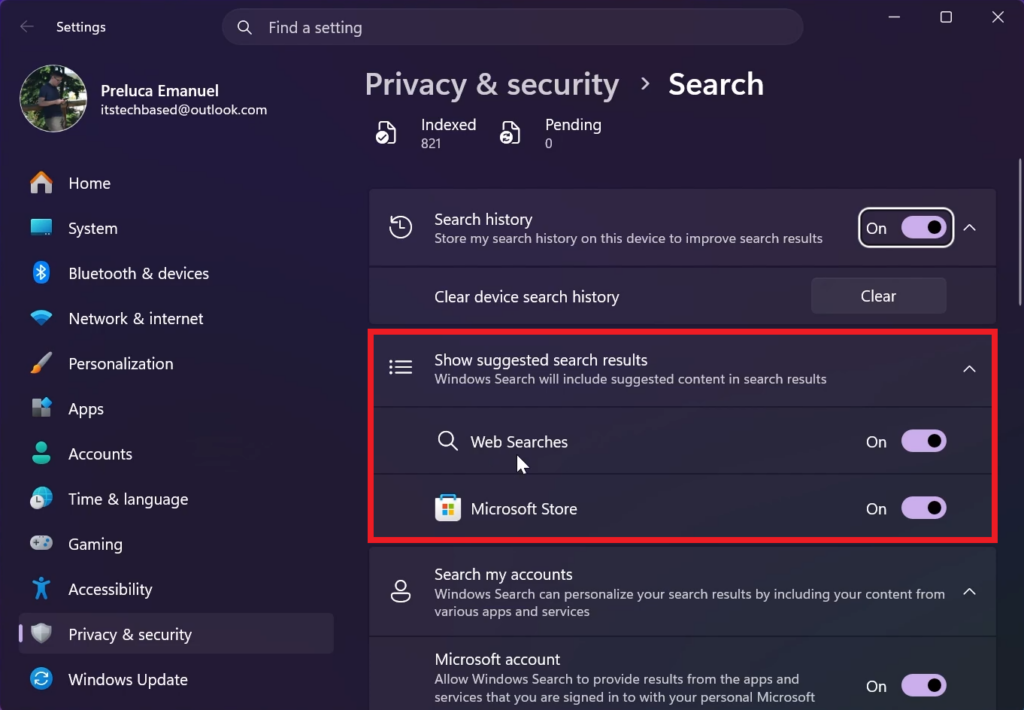
New Search Option to Remove Web and Microsoft Store Search Results
You’re in control of web and Microsoft Store results. A new setting in Settings > Privacy & Security > Search lets you choose whether web and Microsoft Store suggestions appear alongside local results.
Faster Local Search
Local results prioritized when they’re the better match. Apps, settings, and files more reliably appear ahead of web and Store suggestions when your content is the stronger match. System items like This PC and Recycle Bin are easier to discover.
Find Apps Easier
Finding apps is more forgiving. Search is better at handling typos, dropped letters, extra letters, and partial words for apps. Queries like “utlook” can still find Outlook.
Improved Settings Search Results
Settings results are improving. We’ve made a first round of ranking improvements to help more relevant settings appear higher in results, with more tuning planned in the coming months.
Improved File Finding
Finding files is improving. Search is better at surfacing the right local files with added support for two-character file searches. We’ve also made improvements to show cloud and connected files in results when they’re the stronger match. These changes help you get to the document, download, or folder you are looking for faster.
Better Search Reliability
Reliability is improving. Improved search reliability, including reducing likelihood of crashing and loading issue, with more work underway.
New Power Options Design in Search
The Shut Down/Restart actions in the improved Windows Search announced today open a modern version of the Shut Down Windows dialog box to choose a power option.
For more information about the New Search in Windows 11, you can check this article from the Microsoft Blog.
For a more in-depth tutorial, you can watch the video below from the youtube channel.
 11
11
 20
20

