
In this article, we will talk about the latest Preview Build for Windows 11 26H2 in the Dev Channel, which is the Build 26300.7877.
Starting recently, the Dev Channel is jumping ahead to receive 26300 series builds. This means that the window to switch from the Dev Channel to the Beta Channel is closed once Build 26300.7674 is installed. If you are in the Dev Channel today and still want to switch to the Beta Channel at the last minute, when Build 26300.7674 is offered you can pause updates in Windows Update and switch your channel to the Beta Channel and un-pause updates.
These 26300 series builds will contain many of the same features and improvements as the 26220 series builds that will continue to be released in the Beta Channel. Over time, we will be making behind-the-scenes platform changes in each build so they may have different known issues because of those changes.
New Features
New Context Menu
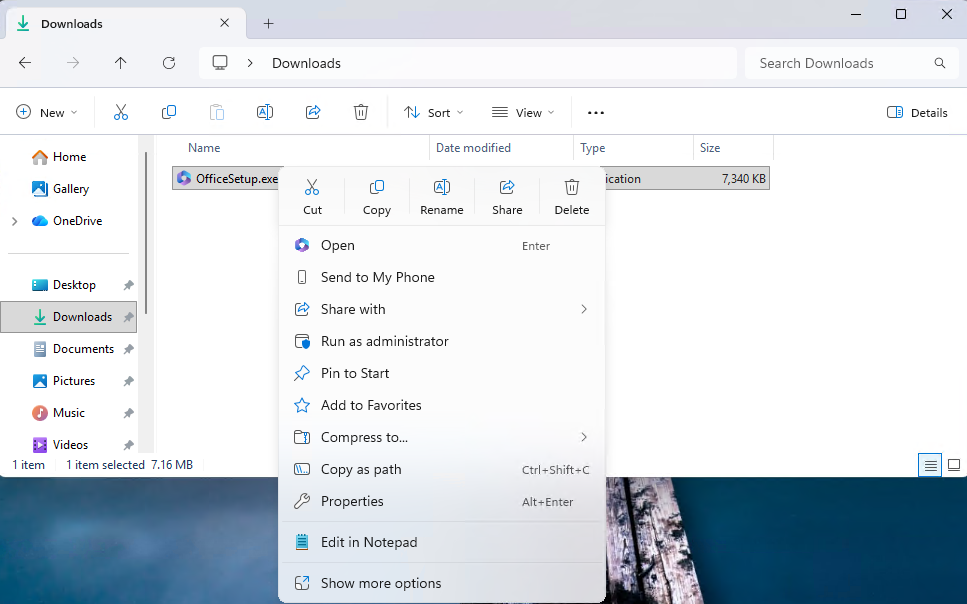
When right clicking on a .exe, .bat, or .cmd file, the context menu’s “Open” verb will now match the icon associated with the file’s default app.
New Settings Changes
- Device Cards:
- Previously released to WIP channels June 2025, the ‘Device info’ Card on the Settings Home page has been refined based on early learnings
.This update simplifies key device specifications and improves consistency across the end to end flow from the Home Card to the Settings > System > About page, making information easier to scan and understand. This consumer experience is currently rolling out to Insiders in the United States. - A version of the Device info Card intended for enterprise users on IT managed devices continues to be available.
- Previously released to WIP channels June 2025, the ‘Device info’ Card on the Settings Home page has been refined based on early learnings
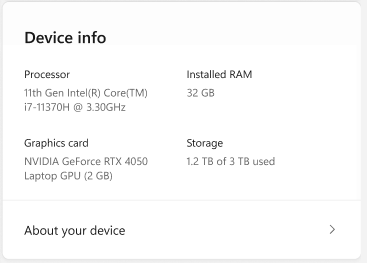
- In Settings > System > About, based on early customer feedback, key device hardware details are once again prominently displayed at the top of the page, making it easy to understand your device at a glance. The Device information section now brings together additional system details such as graphics and storage information in a single location, with easy copy/paste support to simplify sharing or support scenarios. Device related frequently asked questions are not currently surfaced as we continue iterating the best way to deliver contextual help across Settings.
New Taskbar and System Tray
- They have improved the animations for mousing over app groups on the taskbar.
- Improved reliability of showing app icons in the system tray when the taskbar was set to autohide.
New Paint App Update
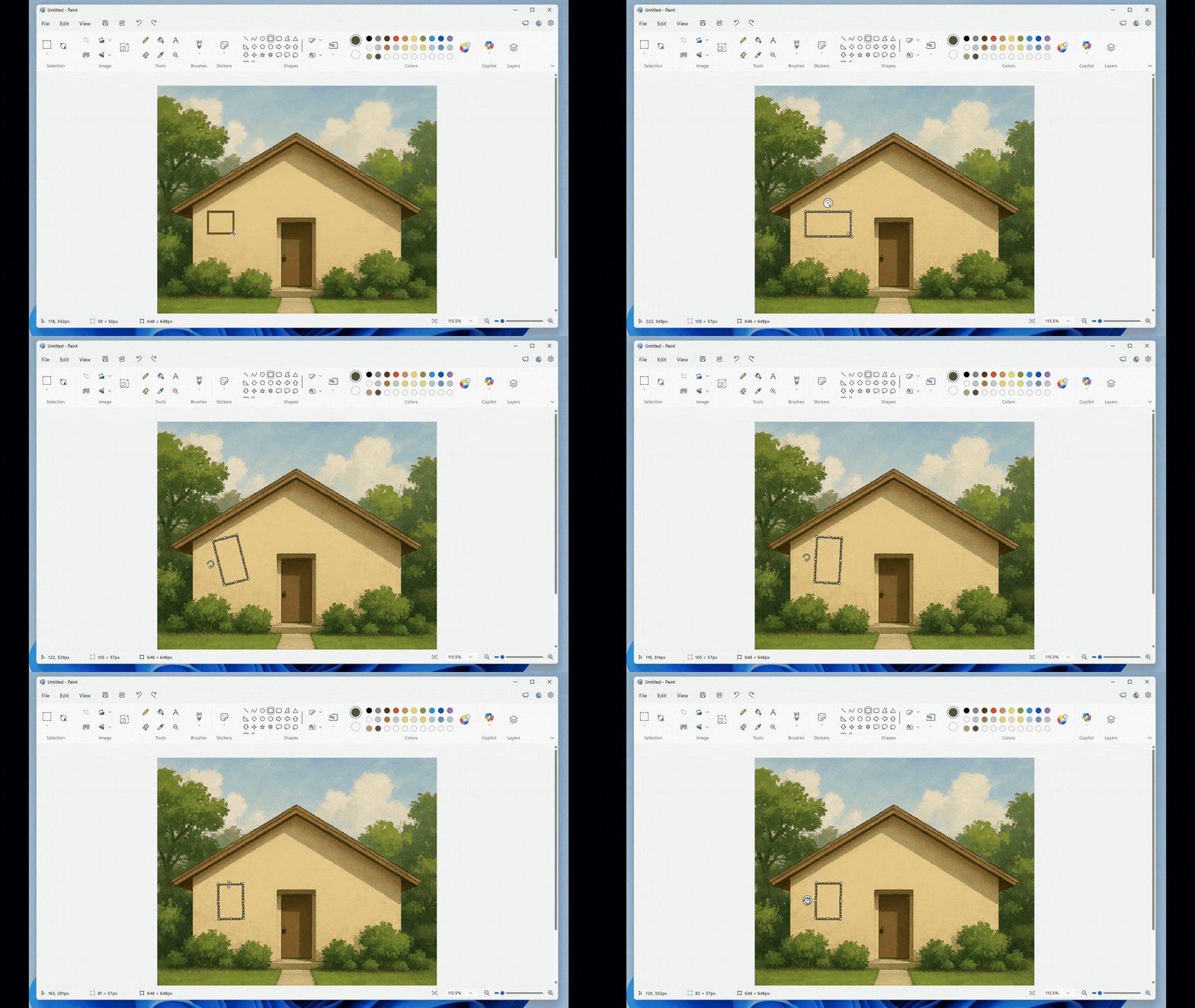
With Paint version 11.2601.391.0, Microsoft is introducing freeform rotate, a highly requested feature that gives you more control when editing your artwork. You can now rotate shapes, text, and any active selection to any angle. To get started, open Paint and select a shape, text, or selection. When the object is active, use the rotate handle above it to rotate freely in any direction. For more precise control, you can also choose Custom rotate from the Rotate menu and enter a specific angle. Try using freeform rotate in your artwork to adjust elements exactly the way you want and add more flexibility to your creative workflow.
Fixes in this Build
File Explorer
- Addressed an issue where all File Explorer open windows and tabs might unexpectedly jump to Desktop or Home.
Nearby Sharing
- Improved the reliability of sending larger files using nearby sharing.
For more information about this Build, you can check this article from the Microsoft Blog.
For a more in-depth presentation of the New Build, you can watch the video below from the youtube channel.
 11
11
 20
20

