
In this article, we will talk about the Windows 11 26H2 Official ISO, which has been Released.
Windows 11 26H2 has been Officially Released on the Main Release of Windows 11, and now Microsoft has also released Official ISOs.
You can use 2 different methods to get the Official Windows 11 26H2 ISO.
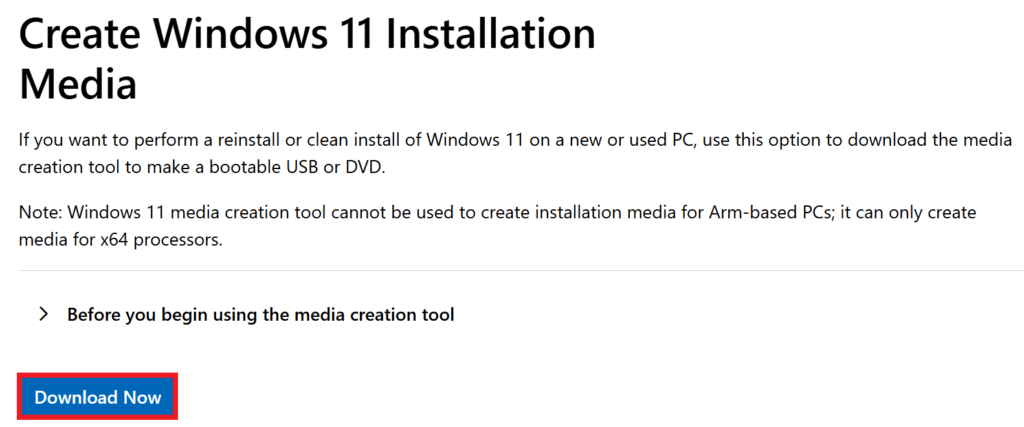
The first method is to get the Windows 11 Installation Media Tool.
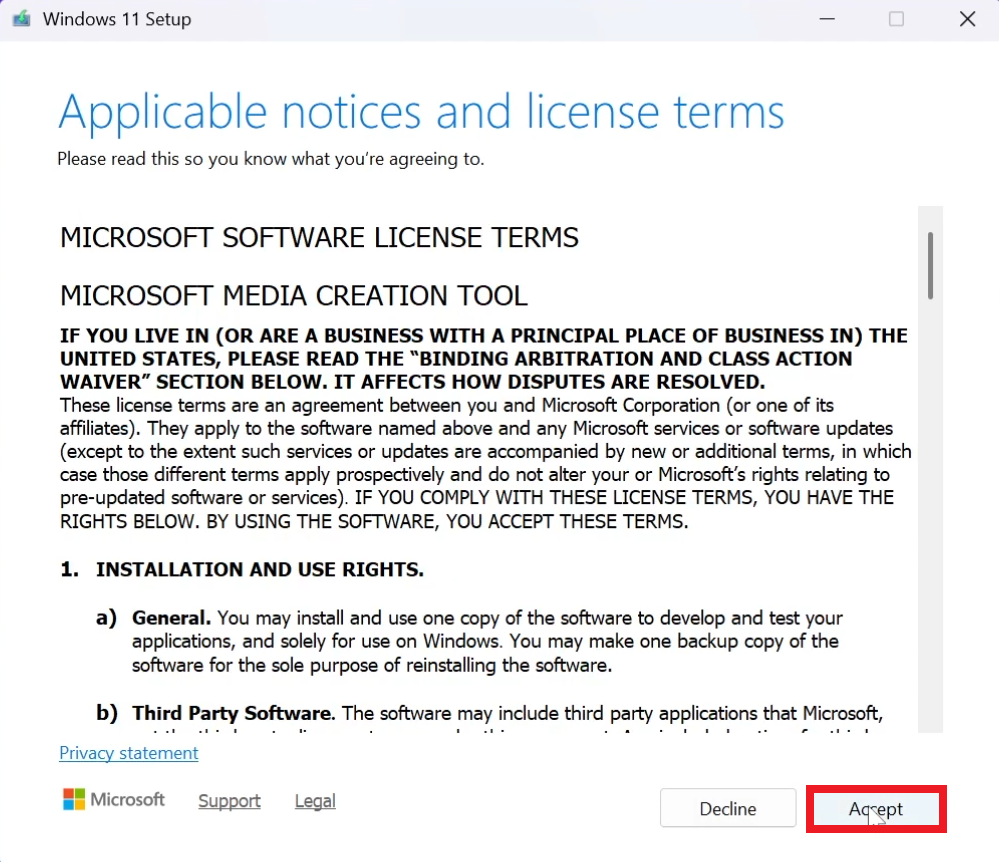
Accept the License Terms.
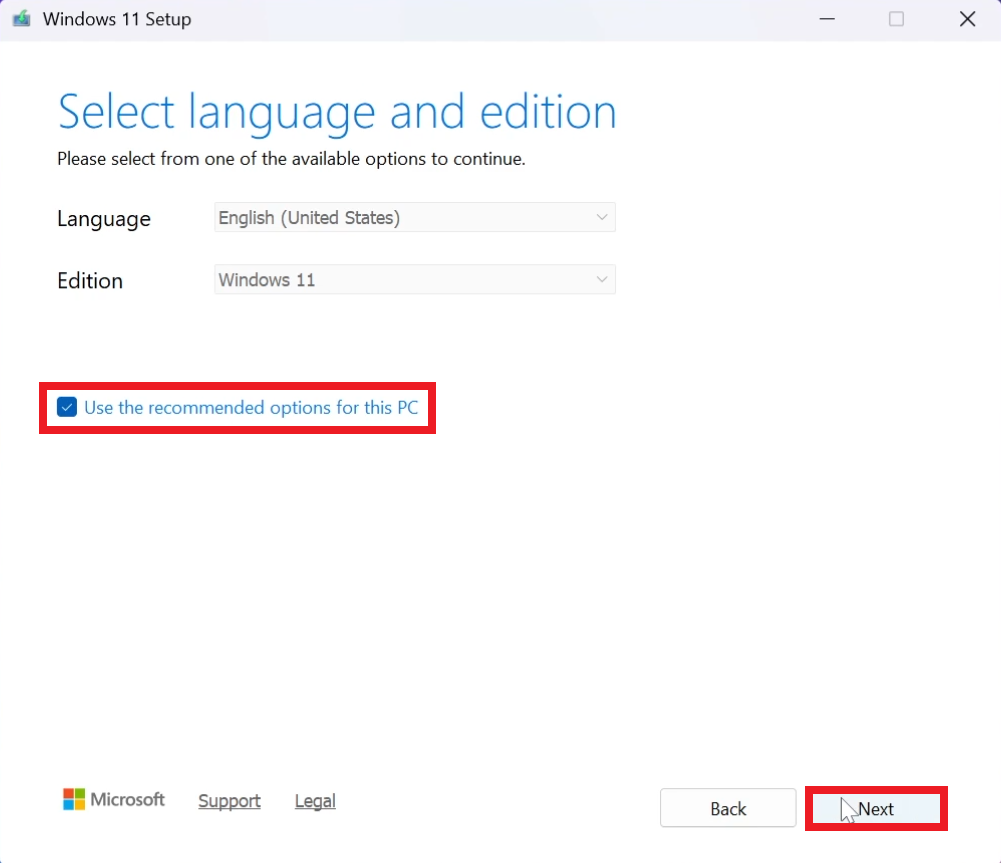
Select Use the recommended options for this PC and then click on Next.
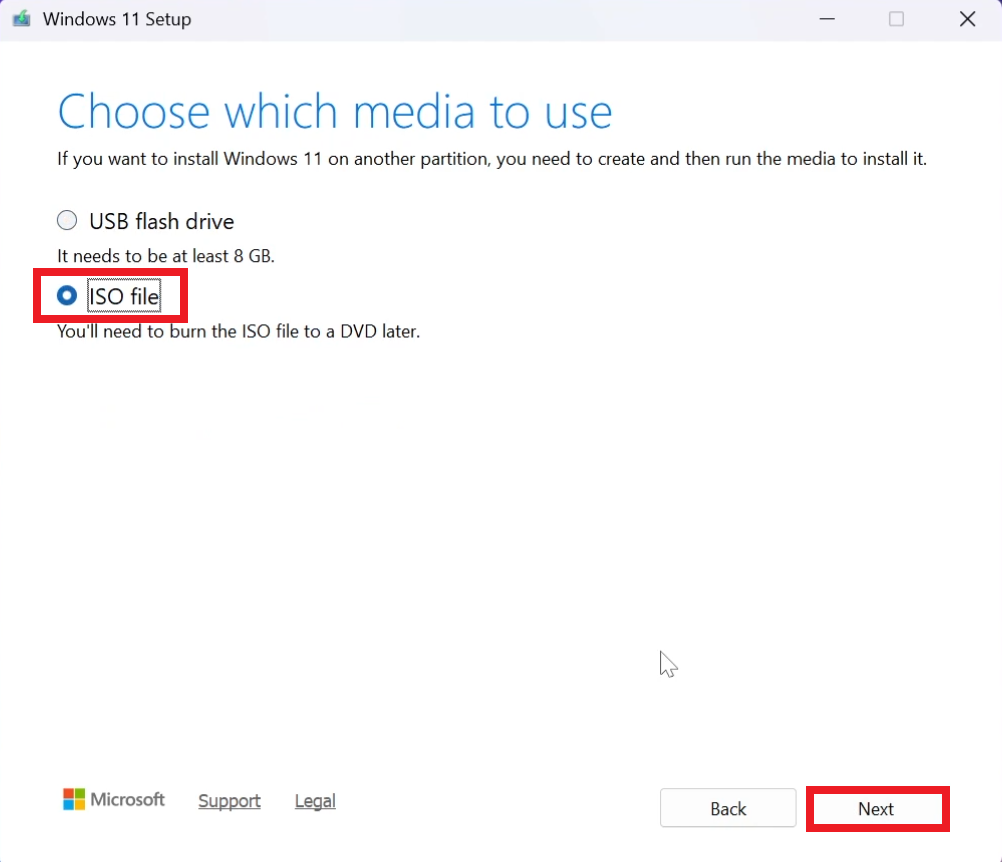
Select ISO file, then click on Next and finally select the location where you want to save the ISO.
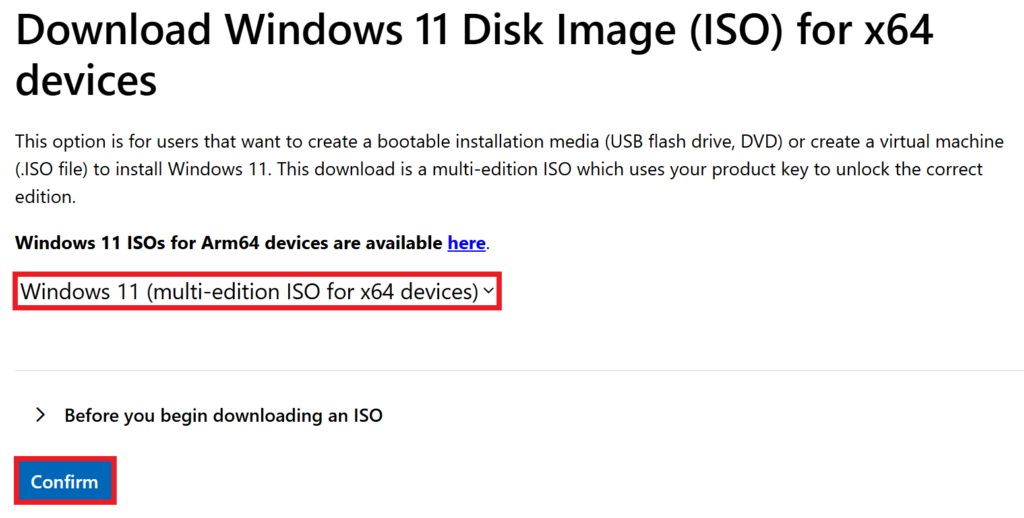
For the 2nd method, scroll down on the Official Microsoft Download Page, select Windows 11 (multi-edition ISO for x64 devices) and then click on Confirm.
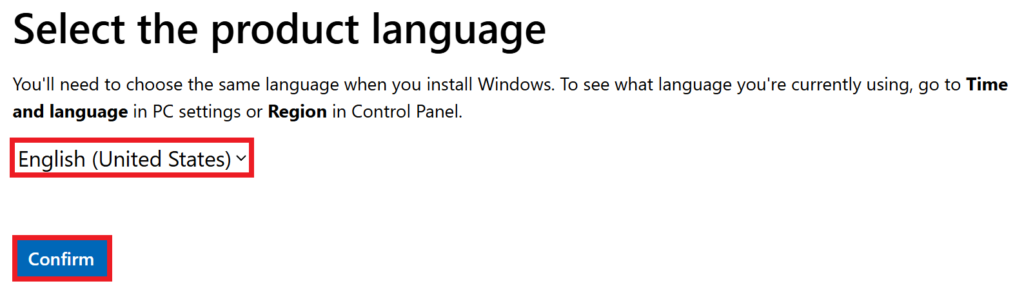
Select the product language and then click on Confirm.
Finally the Official 26H2 ISO will be offered to you.

Windows 11 26H2 ISO Information
The Windows 11 26H2 ISO is quite big in size, around 8GB, so make sure you have a large enough USB Drive, if you’re planning to create a Bootable USB Drive.
Also, you may notice that after installing Windows 11 26H2 from this ISO, a lot of the New Features won’t be present on your computer, and that is because this is a baseline ISO, that changes the version to 26H2 and the New Features will be Enabled gradually after release.
For more information about the Windows 11 26H2 ISOs, you can watch the video below from the youtube channel.
 11
11
 20
20

