
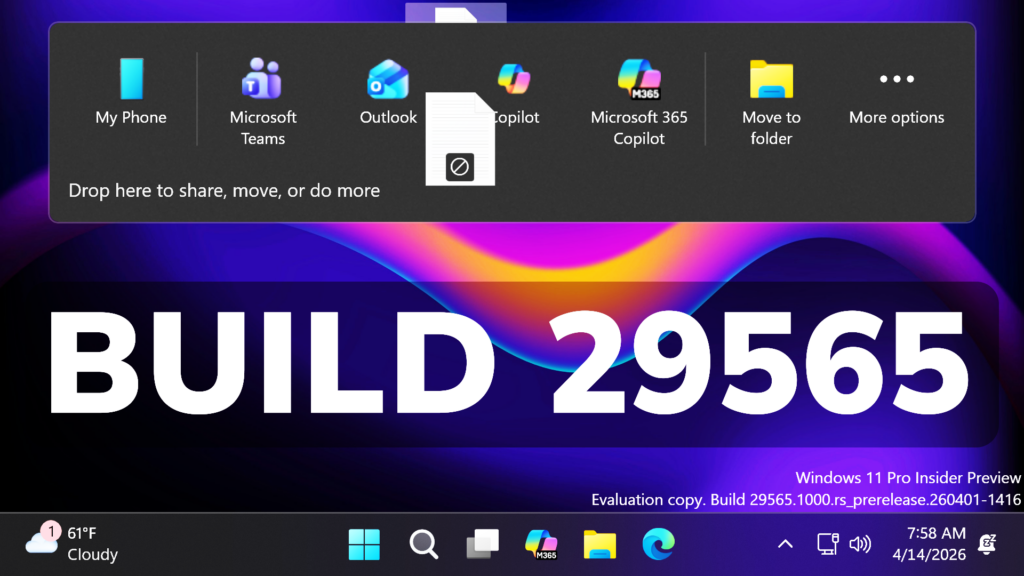
In this article, we will talk about the latest Windows 11 Insider Preview Build for the Canary Channel, which is the Build 29565.
Microsoft has split the Canary Channel in 2 different Update paths. As Microsoft is stating, this will help them validate platform changes at different stages while continuing to deliver new features and experiences to Insiders in the Canary channel.
What is the purpose for the 2 Update Branches:
- 28000 Builds for Version 26H1 will continue releasing previews for the New X2 Platform Devices (not everyone will get this Update)
- 29500 Builds for the Next Windows 11 Version (most likely 27H2) will be released as previews for the New Platform Krypton, which will most likely be released for everyone in 2027
Going forward, each Canary Channel build will be announced in its own blog post, so you’ll always know exactly what’s new and what to expect.
If you are an Insider in the Canary Channel, note that when you are updating to this New Optional Platform, you will no longer be able to go back without a system reinstall.
The New Builds will be very unstable, as they are testing this New Platform, so if you don’t want to take the risk, make sure to stick to the 28000 Builds for Windows 11 26H1.
New Screen Saver
Improved velocity of Bubbles screensaver for monitors with higher refresh rates.
New Drag Tray
Based on feedback Microsoft is making some refinements to drag tray, using a smaller peek view to reduce accidental invocation and make it easier to dismiss when interacting near the top of the screen.
New Windows Security App
Microsoft have recently started to roll out enhancements to the Windows Security app > Device security > Secure Boot experience, which shows green, yellow, and red icon badges as well as new text that reflects your device’s Secure Boot state and certificate status. Microsoft is updating Secure Boot certificates on consumer devices and some business PCs, and you can now check your certificate status with this new feature. This experience is disabled by default on enterprise IT managed devices and servers.
New Feedback Hub
Microsoft is currently rolling out version 2.2604.101.0 to Dev and Canary. This includes design refinements based on your feedback, such as:
- Improved the default window size, and now it will remember window size across session.
- You can now use the mouse back button to go back between pages.
- If you were seeing less community feedback than usual, that should be addressed now.
- Upvote buttons for feedback should display correctly for Insiders using the Chinese display language now, … and more.
For more information about this Build, you can check this article from the Microsoft Blog.
For a more in-depth presentation of the New Build, you can watch the video below from the youtube channel.
 11
11
 20
20

