
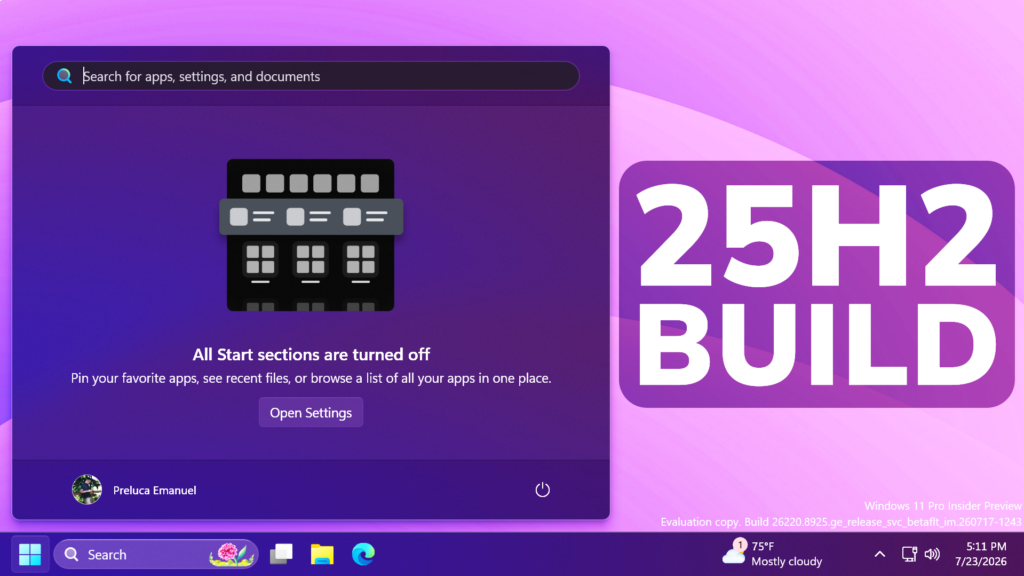
In this article, we will talk about the latest Windows 11 25H2 Insider Preview Build for the Beta Channel, which is the Build 26220.8925.
Microsoft is moving to two primary channels, with the advanced option to pick specific Windows core versions within those. The new channels are Experimental and Beta.
Beta is a refresh of the previous Beta Channel and previews what Microsoft plans to release in the next few weeks. The big change: Microsoft is ending gradual feature rollouts in Beta. When they announce a feature in a Beta update and you take that update, you will have that feature. You may occasionally see small differences within a feature as they test variations, but the feature itself will always be on your device.
New Touchpad Options
- Microsoft is adding new gesturing-related functionality to precision touchpads in Settings. These features should be widely available across applications. WinUI3-based UI requires new WinAppSDK versions for complete functionality, and we’re in the process of bringing the necessary changes to versions 1.8 and 2.0.
- Scroll and zoom speed: control the baseline speed for these gestures.
- Accelerated scrolling: repeatedly scrolling increases speed, allowing quick traversal of long documents.

New Start Menu
- This update brings a number of improvements for the Start menu as first outlined in the Making Taskbar and Start more personal Insider blog.
- Renamed Recommended to Recent in Start and the Settings page.
- Added section-level toggles to independently show or hide Pinned, Recent, and All.
- Added the option to choose between a small and large Start menu, in addition to the Automatic (default) option that is already available.
- Added the option to hide your name and profile picture in Start.
- Redesigned the Start menu settings page.
New File Explorer
- File sizes in the Details view now display appropriate units (KB, MB, and GB) instead of KB-only, making them easier to understand at a glance.
- Middle-click to open a folder in a new tab is now supported in the address bar and Home page for a more consistent and efficient tabbed navigation experience across File Explorer.
- Improved screen reader announcements when resolving file conflicts during move and copy operations.
New Narrator Features
- Braille displays now connect instantly with Narrator.
- We’re making refreshable braille displays easier to use in Windows. Narrator now supports displays that use the HID standard. If your display supports HID, connect it with USB and start reading with no additional setup required.
- For Bluetooth, pair your HID braille display in Settings > Bluetooth & devices like any other accessory, and then use it wirelessly.
- Compatible HID displays include Orbit Reader 20, Orbit Slate 340, Freedom Scientific Focus 40, and APH Mantis Q40.
- HID braille displays now work during the initial Windows setup experience (OOBE) over USB, which means users who are deaf-blind can set up their PC independently from the first screen.
- You can customize braille input and output options in Settings > Accessibility > Narrator > Braille.
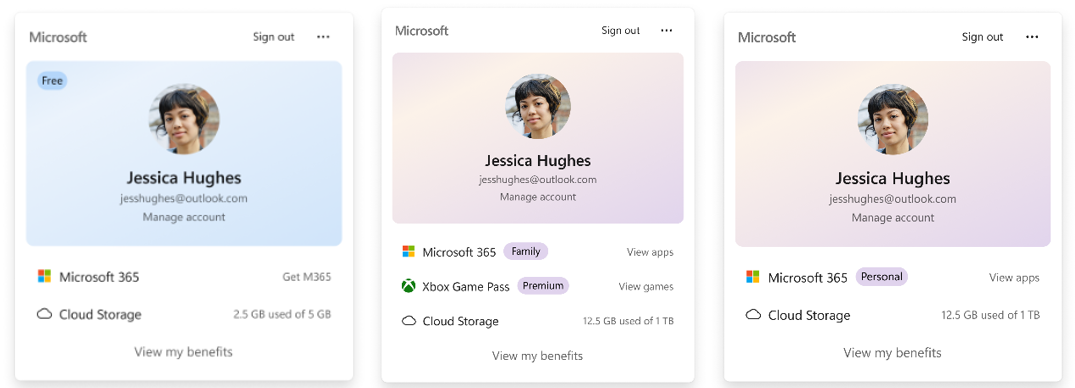
New Account Control Design
- The Windows 11 Account Control flyout has a refreshed, modern design and a clear subscription badge to make account status instantly visible. This helps users identify their plan, discover benefits, and explore upgrades.
Windows Update Fix
Fixed an issue that could result in recent Insider flights failing to install with error 0xc0000409.
Input Improvement
Improved persistence of mouse cursor size.
For more information about this Build, you can check this article from the Microsoft Blog.
For a more in-depth presentation of the New Build, you can watch the video below from the youtube channel.
 11
11
 20
20

