
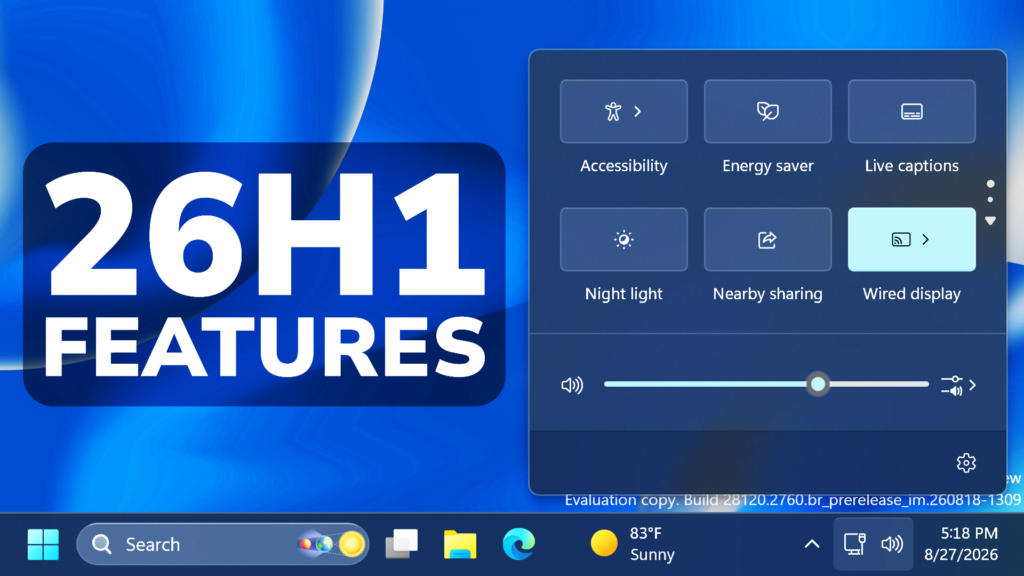
In this article, we will talk about the latest Windows 11 26H1 Features from the Experimental Channel in August 2026.
Insiders in the Experimental (26H1) channel will begin receiving a new 28100 series build number, while we officially introduce a new Beta (26H1) channel based on the 28000 series builds. This enables our goal of giving Windows 11 26H1 Insiders the same choice between Beta and Experimental development branches, with the associated differences outlined in our original blog announcing the program changes. As part of that commitment, Insiders in Experimental (26H1) can easily switch to Beta (26H1), or vice versa, by simply switching the experience selection in Settings > Windows Update > Windows Insider Program. This entails a simple in place upgrade (IPU), meaning no clean reinstallation of Windows is required.
As a reminder, while Insiders do have the ability to specifically select Windows 11 version 26H1 under the Advanced options tab in the Windows Insider settings, Windows 11 26H1 is a targeted release of Windows supporting specific silicon launching this year, including Qualcomm Snapdragon X2 Series devices. It is generally otherwise recommended to stick with the default Windows core version selected within Advanced options.
Build 28120.2546
New Smart Card Removal Policy
Administrators can now configure Azure Virtual Desktop (AVD) and Windows 365 sessions that use Microsoft Entra ID (RDS AAD Auth) authentication to automatically disconnect when a redirected smart card is removed. This extends smart card removal policy enforcement to Microsoft Entra authenticated remote sessions, helping organizations meet security and compliance requirements.
Narrator
- Braille displays now connect instantly with Narrator.
- We’re making refreshable braille displays easier to use in Windows. Narrator now supports displays that use the HID standard, an open industry standard for braille displays. If your display supports HID, simply connect it via USB and start reading with no additional setup required.
- For Bluetooth, pair your HID braille display in Settings > Bluetooth & devices just like any other accessory, and you can work wirelessly without being tethered to your PC.
- Compatible HID displays include Orbit Reader 20, Orbit Slate 340, Freedom Scientific Focus 40, and APH Mantis Q40.
- HID braille displays now work during the initial Windows setup experience (OOBE) over USB, meaning users who are deaf-blind can set up their PC independently right from the first screen.
- You can customize braille input and output options anytime in Settings > Accessibility > Narrator > Braille.
Voice Access
Voice Access now supports Portuguese (Portugal), Portuguese (Brazil), and Korean (South Korea).
Settings
- The Bluetooth quick settings page is now navigable using gamepad input.
- Fixed an issue causing the Graphics page in Settings to crash for Insiders after the latest updates.
Sounds
- Improved system sounds when using Windows in dark mode.
For more information about this Build, you can check this article from the Microsoft Blog.
Build 28120.2630
Windows Update
- As announced in the Windows Update announce blog, we are now bringing a new unified update experience to reduce the number of reboots you see per month. We are starting by coordinating driver, .NET, and firmware updates to align with the monthly quality update, reducing the update experience to a single monthly restart. See the blog for more information.
- They also adding the ability to extend update pauses as many times as you need.
Certificate Renewal for Windows Insiders
- This build includes the renewed Windows Insider flight certificate. Windows Insider Preview builds use flight certificates that are renewed periodically to help ensure Insider devices remain on supported builds and continue receiving future Insider Preview updates. The current flight certificate expires on August 11, 2026, so please update your device to this build or a later one containing the renewed flight certificate before that date.
- For more information, see aka.ms/WIPCertExpiry.
Adaptive Hibernate Policy
Updates to the adaptive hibernate policy increase instances of instant-on resumes from Modern Standby and increase battery preservation at the low end of the battery. Noticeable changes include less hibernation while the battery is above 80% and hibernating sooner when the battery is below 10%.
Touchpad
- We’re adding new gesturing-related functionality to precision touchpads in Settings. The new features should be widely available across applications, with the exception that WinUI3-based UI requires new WinAppSDK versions for complete functionality. We’re in the process of bringing the necessary changes to versions 1.8 and 2.0.
- Scroll and zoom speed: Control the baseline speed for these gestures.
- Accelerated scrolling: Repeatedly scrolling increases their speed, allowing quick traversal of long documents.

Storage
This update fixes an issue that affects File History automatic backups to network shares using Server Message Block (SMB). Backups didn’t work because Windows showed a false “invalid credentials” error when connecting to SMB shares.
File Explorer
This update addresses an issue where files stored on a DFS mapped drive could be incorrectly treated as originating from the internet after the device started while disconnected from the network and later reconnected. This could cause File Explorer’s Preview pane to display the message, “The file you are attempting to preview could harm your computer,” or cause files copied from the DFS drive to receive an unexpected Mark of the Web.
Input
- Fixed an issue causing the mouse cursor to blink repeatedly for some Insiders after the latest flights.
- Improved persistence of voice typing settings for automatic punctuation and launcher.
For more information about this Build, you can check this article from the Microsoft Blog.
Build 28120.2738
WMIC Removal
- Windows Management Instrumentation Command-line (WMIC) has been removed in this release. This change is part of the ongoing deprecation and removal of WMIC from Windows.
- For more information about this change, see Windows Management Instrumentation Command-line (WMIC) removal from Windows.
Drag Tray
Thank you to Insiders who have provided feedback about the Drag Tray experience. Based on feedback, we’re removing the experience in this build. We’re continuing to explore improvements in this area and look forward to sharing more about a future replacement experience in a later update.
Settings
Fixed an issue from the previous flight that caused Settings to crash when interacting with System > Notifications.
Accessibility
Fixed an issue impacting Magnifier launching for some Insiders in the previous flight.
For more information about this Build, you can check this article from the Microsoft Blog.
Build 28120.2760
File Explorer
PDF and non-HTML files downloaded from the web can now be previewed automatically in the preview pane.
Microsoft Store
This update provides support for in-app purchases in packaged WinUI 3 apps that require elevation, helping developers offer purchases through Microsoft’s integrated commerce platform.
Input
Fixed an issue in the latest builds causing the mouse cursor not to be visible in certain apps.
Known Issue
Due to a known compatibility issue with PUBG: BATTLEGROUNDS, Windows Insiders might be prevented from launching the game after installing this build. This safeguard has been put in place to help avoid stability issues while we work with the game developer on a fix. We’ll share additional details and timing for the resolution as they become available.
For more information about this Build, you can check this article from the Microsoft Blog.
For a more in-depth presentation of the New Build, you can watch the video below from the youtube channel.
 11
11
 20
20

